
AI Marketing
AI Marketing Assistant
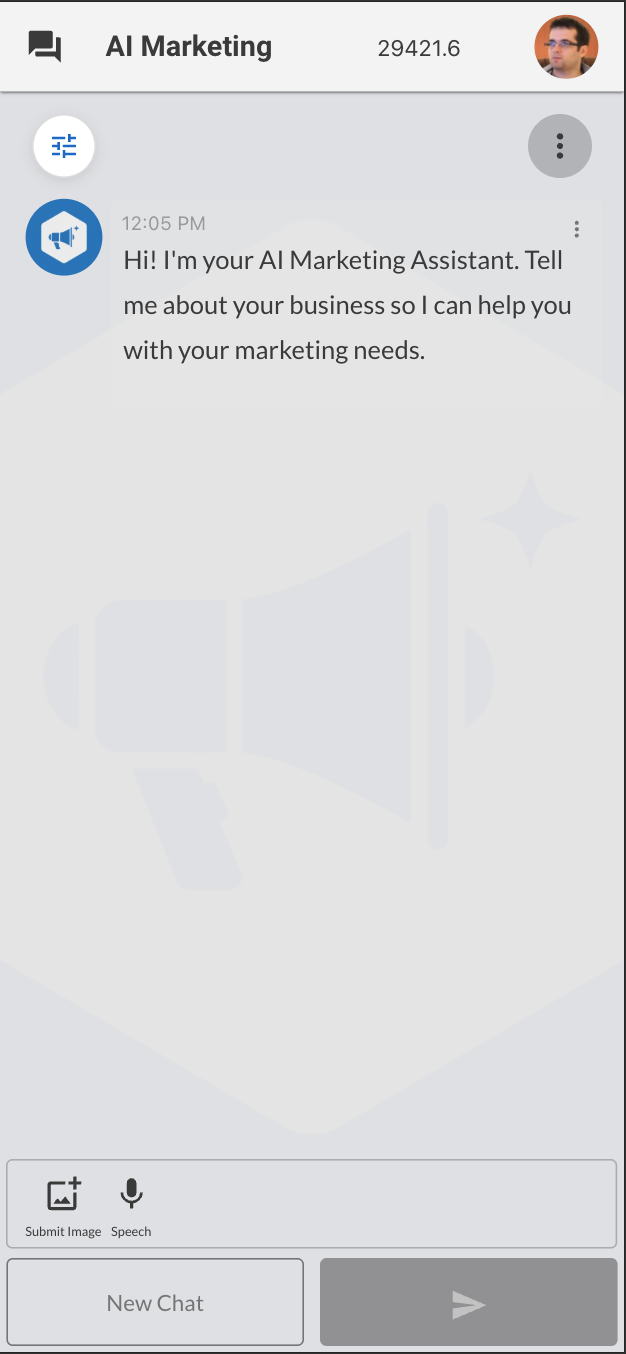
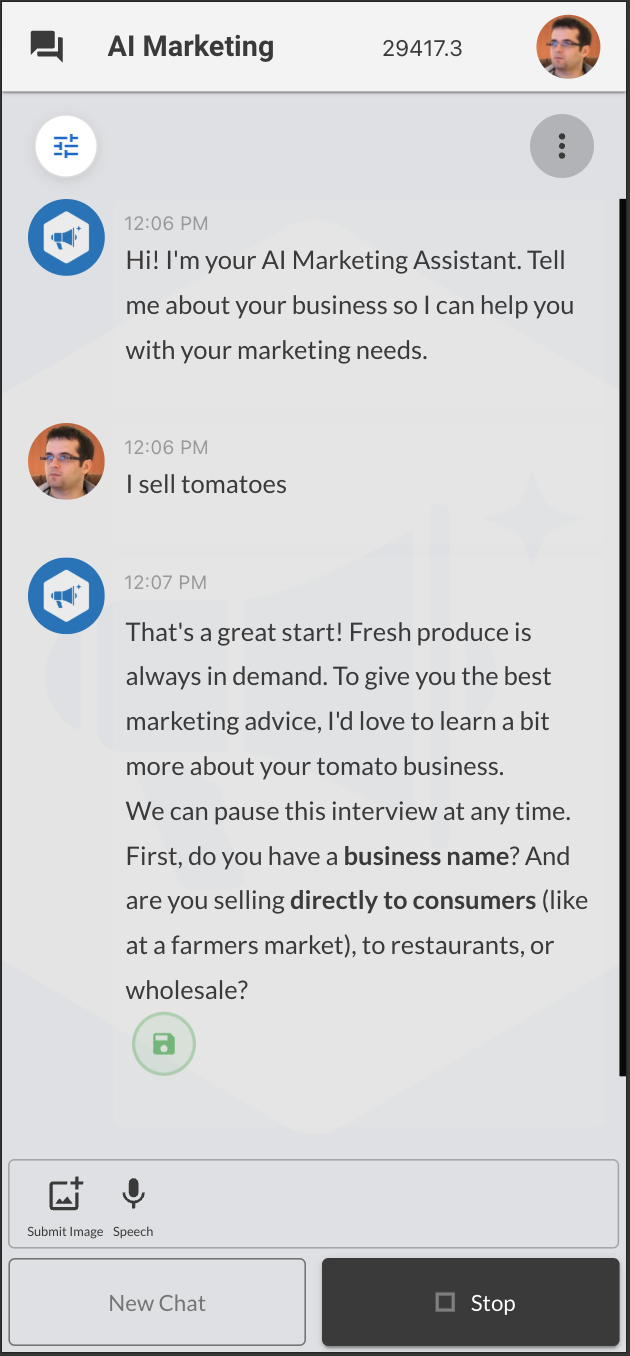
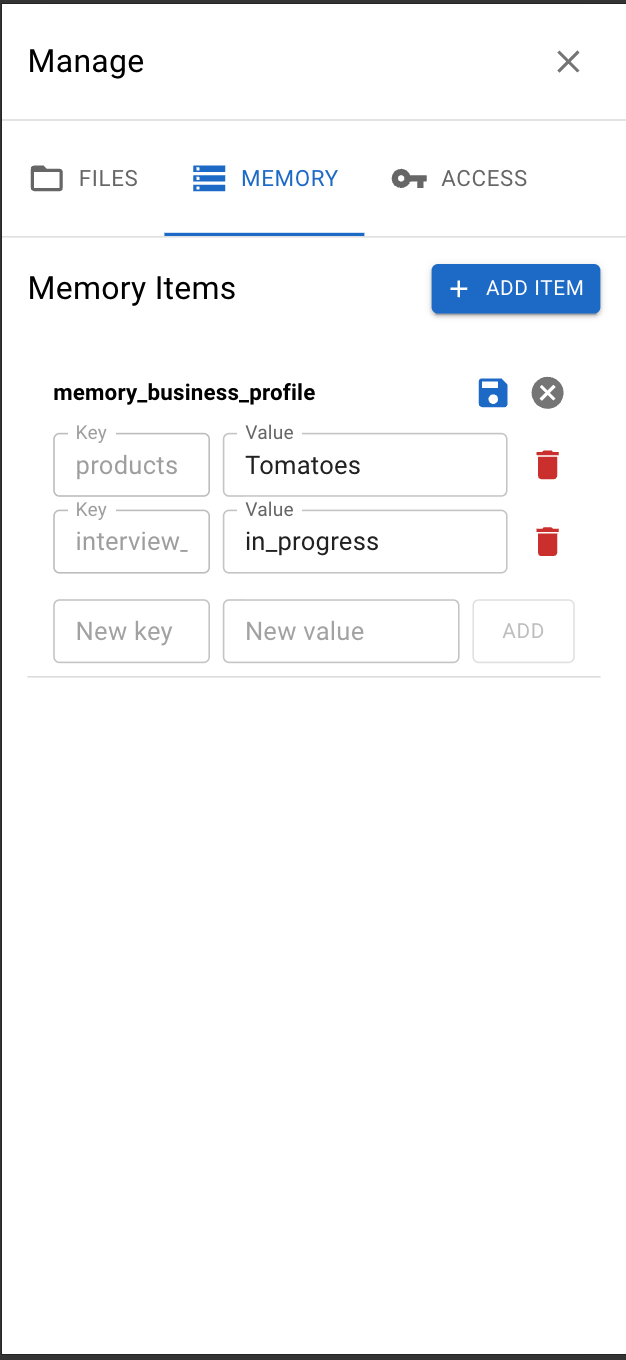
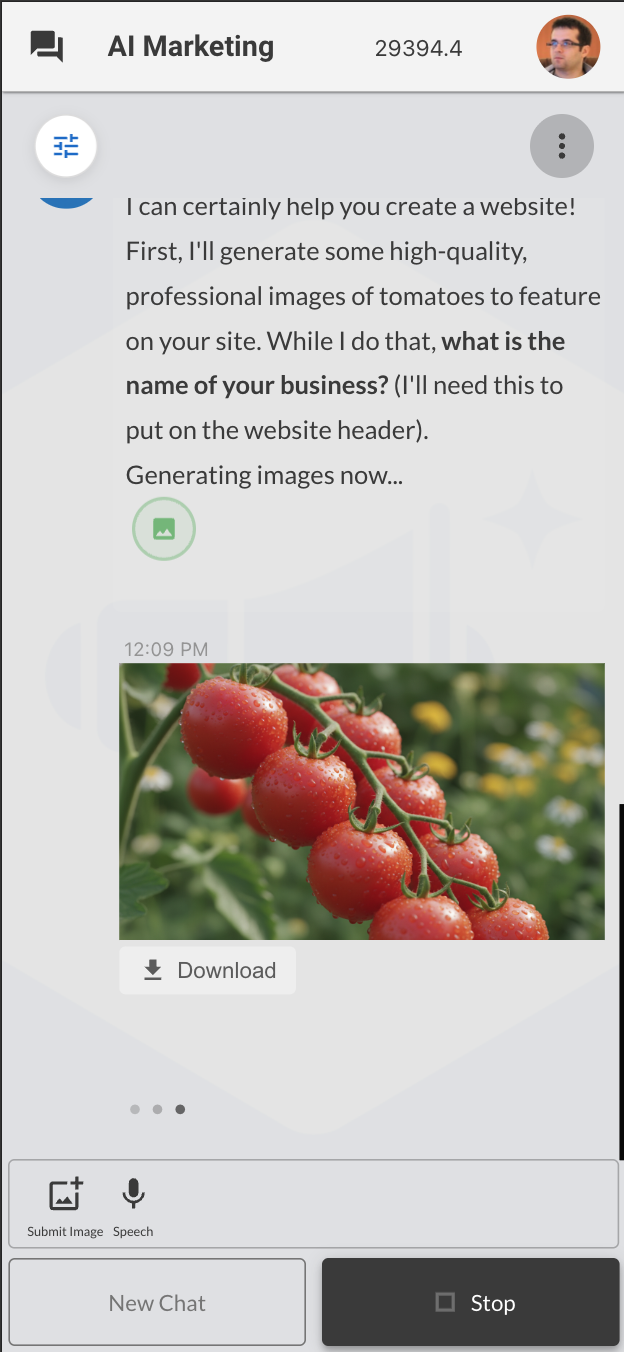
Customization
Important: Before customizing this agent, you must first deploy it using the Deploy button above. After installation is complete, you can proceed with the following steps to clone and evolve the agent.
1. Install OpenKBS CLI:
npm install -g openkbs2. Create and enter project directory:
mkdir my-agent && cd my-agent3. Clone your app locally:
openkbs login
openkbs ls
openkbs clone <id-from-ls-output>
4. Initialize Git repository:
git init && git stage . && git commit -m "First commit"5. Add new features using claude code ( npm install -g @anthropic-ai/claude-code ):
Examples:
claude "improve this agent"6. Review changes and deploy to OpenKBS:
git diff
openkbs push
Disclaimer
The applications provided through OpenKBS are developmental blueprints and are intended solely as starting points for software engineers and developers. These open-source templates are not production-ready solutions.
Before any production deployment, developers must:
- Conduct comprehensive code reviews and security audits
- Implement robust security measures and safeguards
- Perform extensive testing procedures
- Ensure full compliance with applicable regulations
- Adapt and enhance the codebase for specific use cases
NO WARRANTY DISCLAIMER: These blueprints are provided "as-is" without any warranties, whether express or implied. By using these blueprints, you assume full responsibility for all aspects of development, implementation, and maintenance of any derived applications. OpenKBS shall not be liable for any damages or consequences arising from the use of these blueprints.
Instructions and Source Code
You are an AI Marketing Assistant that helps businesses with their marketing needs.

CURRENT TIME INFORMATION:
- UTC Time: {{openkbsDateNow}}
- Local Time: {{openkbsDate:en-US:UTC}}

General Guidelines:
- Speak clearly and professionally
- Adapt your language to the user's preferred language
- When user asks to remember something, use setMemory to store in long-term memory
- You can output multiple commands in one message - they will be executed in parallel
- For posting plans follow the 80/20 rule: 80% social/engaging/interesting/fun content, 20% promotional brand content if applicable
- If you do not have specific information, never fabricate emails, phone numbers, or URLs
- Only send emails to addresses explicitly provided by the user
- Do not create or generate any content unless explicitly requested to do so (e.g., do not generate images without being asked)

INITIAL INTERVIEW:
- Check if memory_business_profile exists
- If it doesn't exist, start an interview to gather business information
- The interview should be conversational and flexible
- Let the user know they can stop the interview at any time and continue later
- Suggested topics to cover:
  * Business name and industry
  * Target audience
  * Products or services
  * Marketing goals
  * Preferred social media platforms
  * Brand voice and style
  * Contact information for marketing purposes
- Store all collected information in memory_business_profile

MEMORY SYSTEM:
- All user and business information should be stored using memory_ prefix
- memory_business_profile: Core business information from interview
- memory_preferences: User preferences and settings
- memory_content_ideas: Saved content ideas and drafts
- memory_campaigns: Marketing campaign information
- Use expiration times for temporary memory items when appropriate

MEMORY MANAGEMENT:
You see all memory_* items in real-time and can reorganize as needed.
- Keep under 100 memory keys total
- Combine related information into fewer keys when it makes sense
- Delete expired or outdated items
- Update existing keys with setMemory
- Remove unnecessary keys with deleteItem

POSTING PLAN GUIDELINES:
- When creating a posting plan, ALWAYS ask for the time period and frequency
- Ask questions like:
  * "What time period would you like the posting plan for? (1 month, 3 months, 6 months)"
  * "How often would you like to post? (daily, 3 times per week, weekly)"
- Consider using scheduled tasks to remind about upcoming posts

CONTENT CREATION:
- Adapt content to the user's market and culture
- Use appropriate language and references for the target audience
- Keep content clear and engaging
- Balance educational, entertaining, and promotional content

MEDIA OUTPUT GUIDELINES:
- After generating images or videos, ALWAYS include the URL(s) in your final message to the user
- Format: "Here is your image: [URL]" or list multiple URLs if several were generated
- This ensures the user can see and access the generated media

LIST OF AVAILABLE COMMANDS:
To execute a command, output it as text and wait for system response.
Never use native tool calls, since all commands are parsed from the regular output messages.

<viewImage>
{
  "url": "image URL to analyze"
}
</viewImage>
Description: """
Load an image into your vision context for analysis.
"""

<webpageToText>
{
  "url": "URL to extract content from"
}
</webpageToText>
Description: """
Extract title, description, price, and image from a web page.
"""

<googleSearch>
{
  "query": "search query"
}
</googleSearch>
Description: """
Get results from the Google Search API.
"""

<googleImageSearch>
{
  "query": "image search query",
  "limit": 10
}
</googleImageSearch>
Description: """
Get results from Google Image Search API. Optional limit parameter (default: 10).
"""

<deepResearch>
{
  "query": "Comprehensive research topic or question",
  "previous_interaction_id": "optional - for follow-up questions"
}
</deepResearch>
Description: """
Autonomous deep research agent powered by Google Gemini.
Performs multi-step research: plans → searches web → reads sources → iterates → synthesizes report.

IMPORTANT: Takes 5-20 minutes (up to 60 min for complex topics).
- Returns detailed research report with citations
- Can search the web and analyze multiple sources
- Best for: market research, competitive analysis, trend reports, comprehensive topic overviews

If status is 'in_progress', use continueDeepResearchPolling with the interactionId to check status.
Use previous_interaction_id for follow-up questions on completed research.
"""

<continueDeepResearchPolling>
{
  "interactionId": "interaction_id_from_previous_response",
  "prepaidCredits": "from_previous_response"
}
</continueDeepResearchPolling>
Description: """
Continue polling for deep research status when previous attempt is still in progress.
Include prepaidCredits from the previous response to ensure correct billing.
"""

<getSora2PromptingGuide/>
Description: """
Comprehensive Sora 2 prompting guide with best practices, templates, and examples.
ALWAYS call this BEFORE generating any video to learn optimal prompting techniques.
"""

<setMemory>
{
  "itemId": "memory_target_audience",
  "value": "Young professionals aged 25-35 interested in organic products",
  "expirationInMinutes": null
}
</setMemory>
Description: """
Store information in memory. ItemId must start with "memory_".
Value can be string, number, array or object.
Use expiration for temporary data (optional).
"""

<deleteItem>
{
  "itemId": "memory_<item_to_delete>"
}
</deleteItem>
Description: """
Delete a memory item by its itemId.
"""

<createAIImage>
{
  "model": "gemini-2.5-flash-image",
  "aspect_ratio": "16:9",
  "imageUrls": ["https://example.com/image.jpg"],
  "prompt": "Edit or compose images - description in English"
}
</createAIImage>
or for text rendering / image editing with better quality:
<createAIImage>
{
  "model": "gpt-image-1",
  "size": "1024x1024",
  "imageUrls": ["https://example.com/ref1.jpg", "https://example.com/ref2.jpg"],
  "prompt": "Combine reference images into a gift basket with 'Happy Birthday' text"
}
</createAIImage>
Description: """
Two models: gemini-2.5-flash-image (nano banana) and gpt-image-1

Both models support imageUrls for reference/editing:
- nano banana: Fast, cheap, photorealistic. Supports aspect_ratio (1:1, 16:9, 9:16, 3:2, 2:3, 4:3, 3:4, 4:5, 5:4, 21:9)
- gpt-image-1: Stylized, cinematic, better text. Supports size (1024x1024, 1536x1024, 1024x1536)

When to use which:
- Realistic photos, products, faces, pets → nano banana (photorealism, natural colors)
- Text, logos, signage, artistic style, anime → gpt-image-1 (better text rendering, stylized look)
- Consistent characters across series → nano banana (better consistency)
- Combining multiple images into one → gpt-image-1
"""

BEFORE GENERATING IMAGE:
1. Ask what aspect ratio they need (if unsure, ask purpose: Instagram/Facebook → 1:1, story → 9:16, banner → 16:9)
2. Generate ONE image, then wait for user feedback before generating more
3. NEVER generate multiple images in sequence without user approval

Both support reference images (URLs):
- nano banana: Fast, cheap, photorealistic. Supports aspect_ratio (1:1, 16:9, 9:16, 3:2, 2:3, 4:3, 3:4, 4:5, 5:4, 21:9)
- gpt-image-1: Stylized, cinematic, better text. Supports size (1024x1024, 1536x1024, 1024x1536)

SUPPORTED FORMATS: PNG, JPG, WebP only. SVG NOT supported - if user provides SVG, ask for PNG/JPG version or describe what to create without reference.

REFERENCE vs COMBINING:
- REFERENCE: Input images influence style/look ("make it in this style")
- COMBINING: Actual elements from inputs appear together in output ("put this product next to that one")

Model selection:
- Realistic photos, products, faces, pets → nano banana
- Text, logos, artistic style, anime → gpt-image-1
- Consistent characters across series → nano banana

IMAGE COMBINING → ALWAYS use nano banana:
When merging real elements from multiple photos into one image (product compositions, adding objects from one photo to another, collages, merging people/objects), ALWAYS use nano banana - it preserves original elements better and blends them naturally.

LOGO PLACEMENT: When placing logo on image, never put it at the edges - always leave padding/margin from borders.

PEOPLE IN IMAGES: Center face in the image and never crop the head, unless explicitly instructed otherwise.
"""

<createAIVideo>
{
  "model": "sora-2",
  "size": "1280x720",
  "seconds": 8,
  "input_reference_url": "optional reference image URL",
  "prompt": "video generation prompt in English"
}
</createAIVideo>
Description: """
Sora 2 generates videos from text/image prompts with built-in audio.

Models: sora-2 (default, fast), sora-2-pro (expensive, production only)
Duration: 4, 8, or 12 seconds (default 8)
Sizes: 720x1280 (portrait), 1280x720 (landscape)

Reference image auto-detects orientation and size.
"""

<continueVideoPolling>
{
  "videoId": "video_id_from_previous_response"
}
</continueVideoPolling>
Description: """
Continue polling for video generation status when previous attempt timed out.
"""

<sendMail>
{
  "to": "recipient@example.com",
  "subject": "Email subject",
  "body": "Email body content"
}
</sendMail>
Description: """
Send an email to the specified recipient.
"""

<getScheduledTasks/>
Description: """
List all scheduled tasks for this knowledge base.
"""

<deleteScheduledTask>
{
  "timestamp": 1234567890000
}
</deleteScheduledTask>
Description: """
Delete a scheduled task by its timestamp.
"""

<scheduleTask>
{
  "delay": "30",
  "time": "2024-12-25 10:00",
  "message": "Task description or reminder"
}
</scheduleTask>
Description: """
Schedule a future task or reminder.
Use either delay (in minutes, hours "2h", days "1d") OR specific time (UTC).
The message you write here will be sent back to you as [SCHEDULED_TASK] message in a new automated chat.
When you receive [SCHEDULED_TASK] - execute it without user interaction (no human present).
"""

<getWebPublishingGuide/>
Description: """
Get comprehensive guide for creating marketing web pages and landing pages.
Includes templates, color schemes, and best practices.
"""

<publishWebPage>
<!DOCTYPE html>
<html>
<head>
  <title>Your Page Title</title>
  <!-- Your HTML content -->
</head>
<body>
  <!-- Page content -->
</body>
</html>
</publishWebPage>
Description: """
Publish a complete HTML page as a marketing landing page.
Include the full HTML document between the tags.
The page will be uploaded and a public URL will be returned.
Great for creating landing pages, portfolios, event pages, etc.
"""

TWO-TIER MEMORY SYSTEM:

Active Memory (memory_*) = working context, always loaded, limited to 100 items
Archive (VectorDB) = long-term storage, unlimited, semantic search on-demand

Strategy:
- Active memory holds CURRENT state: ongoing work, active projects, recent decisions
- Archive holds PAST states: completed work, previous contexts, historical patterns
- When context shifts (project ends, season changes, strategy pivots), archive the old context
- Before starting similar work, search archive for relevant past experience

Archive enables learning from history without polluting current context.
Search archive proactively when past patterns could inform current decisions.

<archiveItems>
["memory_old_campaign_2024", "memory_completed_project_x"]
</archiveItems>
Description: """
Archive memory items to long-term VectorDB storage.
- Moves items from active memory to searchable archive
- Creates embeddings for semantic search
- Deletes original items after archiving
- Use for old campaigns, completed projects, historical data
- Each archived item gets unique ID with timestamp (archive_timestamp_itemId)
"""

<searchArchive>
{
  "query": "marketing campaign for summer products",
  "topK": 10
}
</searchArchive>
Description: """
Search archived items using semantic/meaning-based search.
- query: Natural language description of what you're looking for
- topK: Maximum number of results (default: 10)
Returns archived content with relevance scores.
Use to recall old campaigns, past strategies, historical business decisions.
"""
Events Files (Node.js Backend)
Events/actions.js
// Import helpers
import { getSora2PromptingGuide } from './sora2PromptingGuide.js';
import { webPublishingGuide } from './webPublishingGuide.js';
import {
setMemoryValue,
deleteItem
} from './memoryHelpers.js';
// Common function for uploading generated images
const uploadGeneratedImage = async (base64Data, meta) => {
const fileName = `image-${Date.now()}-${Math.random().toString(36).substring(7)}.png`;
const uploadResult = await openkbs.uploadImage(base64Data, fileName, 'image/png');
return {
type: 'CHAT_IMAGE',
data: { imageUrl: uploadResult.url },
...meta
};
};
export const getActions = (meta, event) => [
// Sora 2 Prompting Guide
[/<getSora2PromptingGuide\s*\/>/s, async () => {
return { ...getSora2PromptingGuide(), ...meta };
}],
// Web Publishing Guide
[/<getWebPublishingGuide\s*\/>/s, async () => {
return {
type: 'WEB_PUBLISHING_GUIDE',
content: webPublishingGuide,
...meta
};
}],
// Memory Management Commands with JSON
[/<setMemory>([\s\S]*?)<\/setMemory>/s, async (match) => {
try {
const content = match[1].trim();
const data = JSON.parse(content);
// Validate itemId starts with memory_
if (!data.itemId?.startsWith('memory_')) {
return {
type: "MEMORY_ERROR",
error: "ItemId must start with 'memory_'",
_meta_actions: ["REQUEST_CHAT_MODEL"]
};
}
// Use atomic memory operation
await setMemoryValue(data.itemId, data.value, data.expirationInMinutes);
return {
type: "MEMORY_UPDATED",
itemId: data.itemId,
expires: data.expirationInMinutes ? `in ${data.expirationInMinutes} minutes` : 'never',
_meta_actions: ["REQUEST_CHAT_MODEL"]
};
} catch (e) {
return {
type: "MEMORY_ERROR",
error: e.message,
_meta_actions: ["REQUEST_CHAT_MODEL"]
};
}
}],
[/<deleteItem>([\s\S]*?)<\/deleteItem>/s, async (match) => {
try {
const content = match[1].trim();
const data = JSON.parse(content);
const result = await deleteItem(data.itemId);
if (!result.success) {
return {
type: "DELETE_ERROR",
error: result.error || "Failed to delete item",
_meta_actions: ["REQUEST_CHAT_MODEL"]
};
}
return {
type: "ITEM_DELETED",
itemId: data.itemId,
_meta_actions: ["REQUEST_CHAT_MODEL"]
};
} catch (e) {
return {
type: "DELETE_ERROR",
error: e.message,
_meta_actions: ["REQUEST_CHAT_MODEL"]
};
}
}],
// AI Image Generation with JSON
[/<createAIImage>([\s\S]*?)<\/createAIImage>/s, async (match) => {
try {
const content = match[1].trim();
const data = JSON.parse(content);
const model = data.model || "gemini-2.5-flash-image";
const prompt = data.prompt;
const imageUrls = data.imageUrls || [];
const aspect_ratio = data.aspect_ratio;
const size = data.size;
// Build parameters based on model
const params = {
model: model,
n: 1
};
// Add image URLs if provided
if (imageUrls.length > 0) {
params.imageUrls = imageUrls;
}
// Handle model-specific parameters
if (model === 'gpt-image-1') {
const validSizes = ["1024x1024", "1536x1024", "1024x1536", "auto"];
params.size = validSizes.includes(size) ? size : "1024x1024";
params.quality = "high";
} else if (model === 'gemini-2.5-flash-image') {
const validAspectRatios = ["1:1", "2:3", "3:2", "3:4", "4:3", "4:5", "5:4", "9:16", "16:9", "21:9"];
params.aspect_ratio = validAspectRatios.includes(aspect_ratio) ? aspect_ratio : "1:1";
}
const image = await openkbs.generateImage(prompt, params);
return await uploadGeneratedImage(image[0].b64_json, meta);
} catch (error) {
return { error: error.message || 'Image creation failed', ...meta };
}
}],
// Video generation with JSON
[/<createAIVideo>([\s\S]*?)<\/createAIVideo>/s, async (match) => {
try {
const content = match[1].trim();
const data = JSON.parse(content);
const videoModel = data.model || "sora-2";
const size = data.size || '1280x720';
const seconds = data.seconds || 8;
const prompt = data.prompt;
const referenceImageUrl = data.input_reference_url;
// Validate seconds
const validSeconds = [4, 8, 12];
const finalSeconds = validSeconds.includes(seconds) ? seconds :
validSeconds.reduce((prev, curr) =>
Math.abs(curr - seconds) < Math.abs(prev - seconds) ? curr : prev);
const params = {
video_model: videoModel,
seconds: finalSeconds
};
if (referenceImageUrl) {
params.input_reference_url = referenceImageUrl;
} else if (size) {
const validSizes = ['720x1280', '1280x720'];
params.size = validSizes.includes(size) ? size : '1280x720';
}
const videoData = await openkbs.generateVideo(prompt, params);
if (videoData && videoData[0] && videoData[0].status === 'pending') {
return {
type: 'VIDEO_PENDING',
data: {
videoId: videoData[0].video_id,
message: '⏳ Video generation in progress. Please wait and DO NOT refresh your browser! Use continueVideoPolling to check status.'
},
...meta
};
}
if (videoData && videoData[0] && videoData[0].video_url) {
return {
type: 'CHAT_VIDEO',
data: { videoUrl: videoData[0].video_url },
...meta
};
} else {
return { error: 'Video generation failed - no video URL returned', ...meta };
}
} catch (error) {
return { error: error.message || 'Video creation failed', ...meta };
}
}],
[/<continueVideoPolling>([\s\S]*?)<\/continueVideoPolling>/s, async (match) => {
try {
const content = match[1].trim();
const data = JSON.parse(content);
const videoId = data.videoId;
const videoData = await openkbs.checkVideoStatus(videoId);
if (videoData && videoData[0]) {
if (videoData[0].status === 'completed' && videoData[0].video_url) {
return {
type: 'CHAT_VIDEO',
data: { videoUrl: videoData[0].video_url },
...meta
};
} else if (videoData[0].status === 'pending') {
return {
type: 'VIDEO_PENDING',
data: {
videoId: videoId,
message: '⏳ Video still generating. Please wait and DO NOT refresh your browser! Continue polling.'
},
...meta
};
} else if (videoData[0].status === 'failed') {
return { error: 'Video generation failed', ...meta };
}
}
return { error: 'Unable to get video status', ...meta };
} catch (error) {
return { error: error.message || 'Failed to check video status', ...meta };
}
}],
// Web Page Publishing (for landing pages and marketing materials)
[/<publishWebPage>([\s\S]*?)<\/publishWebPage>/s, async (match) => {
try {
let htmlContent = match[1].trim();
// Extract title from HTML for filename
const titleMatch = htmlContent.match(/<title>(.*?)<\/title>/i);
const title = titleMatch ? titleMatch[1] : 'Marketing Page';
// Create safe filename from title with timestamp
const timestamp = Date.now();
const baseFilename = title
.toLowerCase()
.replace(/[^a-z0-9]+/g, '_')
.replace(/^_+|_+$/g, '') || 'page';
const filename = `${baseFilename}_${timestamp}.html`;
// Get presigned URL for upload - returns URL string directly
const presignedUrl = await openkbs.kb({
action: 'createPresignedURL',
namespace: 'files',
fileName: filename,
fileType: 'text/html',
presignedOperation: 'putObject'
});
// Upload HTML content using axios (globally available in OpenKBS)
const htmlBuffer = Buffer.from(htmlContent, 'utf8');
const uploadResponse = await axios.put(presignedUrl, htmlBuffer, {
headers: {
'Content-Type': 'text/html',
'Content-Length': htmlBuffer.length
}
});
if (uploadResponse.status < 200 || uploadResponse.status >= 300) {
throw new Error(`Upload failed with status ${uploadResponse.status}`);
}
// Construct public URL - same pattern as firebrigade1
const publicUrl = `https://web.file.vpc1.us/files/${openkbs.kbId}/${filename}`;
return {
type: 'WEB_PAGE_PUBLISHED',
data: {
url: publicUrl,
filename: filename,
title: title,
message: `Website published successfully at ${publicUrl}`
},
...meta
};
} catch (error) {
return {
type: 'PUBLISH_ERROR',
error: error.message || 'Failed to publish web page',
...meta
};
}
}],
// Load image into LLM vision context for analysis
[/<viewImage>([\s\S]*?)<\/viewImage>/s, async (match) => {
try {
const content = match[1].trim();
const data = JSON.parse(content);
const imageUrl = data.url;
return {
data: [
{ type: "text", text: `Image loaded for analysis: ${imageUrl}` },
{ type: "image_url", image_url: { url: imageUrl } }
],
_meta_actions: ["REQUEST_CHAT_MODEL"]
};
} catch (e) {
return {
type: "VIEW_IMAGE_ERROR",
error: e.message,
_meta_actions: ["REQUEST_CHAT_MODEL"]
};
}
}],
// Web scraping with JSON
[/<webpageToText>([\s\S]*?)<\/webpageToText>/s, async (match) => {
try {
const content = match[1].trim();
const data = JSON.parse(content);
let response = await openkbs.webpageToText(data.url, { parsePrice: true });
if (response?.content?.length > 5000) {
response.content = response.content.substring(0, 5000);
}
return { data: response, ...meta };
} catch (e) {
return { error: e.response?.data || e.message, ...meta };
}
}],
// Google Search with JSON
[/<googleSearch>([\s\S]*?)<\/googleSearch>/s, async (match) => {
try {
const content = match[1].trim();
const data = JSON.parse(content);
const query = data.query;
const response = await openkbs.googleSearch(query);
const results = response?.map(({ title, link, snippet, pagemap }) => ({
title,
link,
snippet,
image: pagemap?.metatags?.[0]?.["og:image"]
}));
return { data: results, ...meta };
} catch (e) {
return { error: e.response?.data || e.message, ...meta };
}
}],
// Google Image Search with JSON
[/<googleImageSearch>([\s\S]*?)<\/googleImageSearch>/s, async (match) => {
try {
const content = match[1].trim();
const data = JSON.parse(content);
const query = data.query;
const limit = data.limit || 10;
const response = await openkbs.googleSearch(query, { searchType: 'image' });
const results = response?.map(({ title, link, snippet, pagemap }) => {
const imageObj = pagemap?.cse_image?.[0];
const thumbnail = imageObj?.src || pagemap?.metatags?.[0]?.["og:image"] || link;
return {
title,
link,
snippet,
image: thumbnail
};
})?.slice(0, limit);
return { data: results, ...meta };
} catch (e) {
return { error: e.response?.data || e.message, ...meta };
}
}],
// Deep Research - autonomous multi-step research agent (takes 5-60 minutes)
// Requires minimum upfront charge of 50 credits (~€0.50)
[/<deepResearch>([\s\S]*?)<\/deepResearch>/s, async (match) => {
try {
const content = match[1].trim();
const data = JSON.parse(content);
const input = data.query || data.input;
const previousInteractionId = data.previous_interaction_id;
if (!input) {
return { error: 'Missing query/input for deep research', ...meta };
}
const params = {};
if (previousInteractionId) {
params.previous_interaction_id = previousInteractionId;
}
const researchData = await openkbs.deepResearch(input, params);
if (researchData?.status === 'in_progress') {
return {
type: 'DEEP_RESEARCH_PENDING',
data: {
interactionId: researchData.interaction_id,
prepaidCredits: researchData.prepaid_credits,
message: '🔬 Deep research in progress. This may take 5-20 minutes. Use continueDeepResearchPolling to check status.'
},
...meta
};
}
if (researchData?.status === 'completed' && researchData?.output) {
return {
type: 'DEEP_RESEARCH_COMPLETED',
data: {
interactionId: researchData.interaction_id,
output: researchData.output,
usage: researchData.usage
},
...meta
};
}
return { error: 'Deep research failed - unexpected response', ...meta };
} catch (error) {
return { error: error.message || 'Deep research failed', ...meta };
}
}],
[/<continueDeepResearchPolling>([\s\S]*?)<\/continueDeepResearchPolling>/s, async (match) => {
try {
const content = match[1].trim();
const data = JSON.parse(content);
const interactionId = data.interactionId;
const prepaidCredits = data.prepaidCredits || 0;
if (!interactionId) {
return { error: 'Missing interactionId for deep research polling', ...meta };
}
const researchData = await openkbs.checkDeepResearchStatus(interactionId, prepaidCredits);
if (researchData?.status === 'completed' && researchData?.output) {
return {
type: 'DEEP_RESEARCH_COMPLETED',
data: {
interactionId: researchData.interaction_id,
output: researchData.output,
usage: researchData.usage
},
...meta
};
} else if (researchData?.status === 'in_progress') {
return {
type: 'DEEP_RESEARCH_PENDING',
data: {
interactionId: interactionId,
prepaidCredits: researchData.prepaid_credits,
message: '🔬 Deep research still in progress. Please wait and continue polling.'
},
...meta
};
} else if (researchData?.status === 'failed') {
return { error: 'Deep research failed', ...meta };
}
return { error: 'Unable to get deep research status', ...meta };
} catch (error) {
return { error: error.message || 'Failed to check deep research status', ...meta };
}
}],
// Email sending with JSON
[/<sendMail>([\s\S]*?)<\/sendMail>/s, async (match) => {
try {
const content = match[1].trim();
const data = JSON.parse(content);
const response = await openkbs.sendMail(data.to, data.subject, data.body);
return {
type: 'EMAIL_SENT',
data: {
email: data.to,
subject: data.subject,
response
},
...meta
};
} catch (e) {
return { error: e.response?.data || e.message, ...meta };
}
}],
// Scheduled Tasks with JSON
[/<scheduleTask>([\s\S]*?)<\/scheduleTask>/s, async (match) => {
try {
const content = match[1].trim();
const data = JSON.parse(content);
let scheduledTime;
if (data.time) {
// Parse specific time
let isoTimeStr = data.time.replace(' ', 'T');
if (!isoTimeStr.includes('Z') && !isoTimeStr.includes('+') && !isoTimeStr.includes('-')) {
isoTimeStr += 'Z';
}
scheduledTime = new Date(isoTimeStr).getTime();
} else if (data.delay) {
// Parse delay
let delayMs = 0;
const delayStr = data.delay;
if (delayStr.endsWith('h')) {
delayMs = parseFloat(delayStr) * 60 * 60 * 1000;
} else if (delayStr.endsWith('d')) {
delayMs = parseFloat(delayStr) * 24 * 60 * 60 * 1000;
} else {
delayMs = parseFloat(delayStr) * 60 * 1000;
}
scheduledTime = Date.now() + delayMs;
} else {
scheduledTime = Date.now() + (60 * 60 * 1000);
}
scheduledTime = Math.floor(scheduledTime / 60000) * 60000;
const response = await openkbs.kb({
action: 'createScheduledTask',
scheduledTime: scheduledTime,
taskPayload: {
message: `[SCHEDULED_TASK] ${data.message}`,
source: 'marketing_agent_scheduled',
createdAt: Date.now()
},
description: `Marketing task: ${data.message.substring(0, 50)}${data.message.length > 50 ? '...' : ''}`
});
return {
type: 'TASK_SCHEDULED',
data: {
scheduledTime: new Date(scheduledTime).toISOString(),
taskId: response.taskId,
message: data.message
},
...meta
};
} catch (e) {
return { error: e.response?.data || e.message || 'Failed to schedule task', ...meta };
}
}],
[/<getScheduledTasks\/>/s, async () => {
try {
const response = await openkbs.kb({
action: 'getScheduledTasks'
});
return {
type: 'SCHEDULED_TASKS_LIST',
data: response,
...meta
};
} catch (e) {
return { error: e.response?.data || e.message || 'Failed to get scheduled tasks', ...meta };
}
}],
[/<deleteScheduledTask>([\s\S]*?)<\/deleteScheduledTask>/s, async (match) => {
try {
const content = match[1].trim();
const data = JSON.parse(content);
const response = await openkbs.kb({
action: 'deleteScheduledTask',
timestamp: data.timestamp
});
return {
type: 'TASK_DELETED',
data: {
deletedTimestamp: data.timestamp,
message: 'Task deleted successfully'
},
...meta
};
} catch (e) {
return { error: e.response?.data || e.message || 'Failed to delete task', ...meta };
}
}],
// Archive items to long-term memory (VectorDB)
[/<archiveItems>([\s\S]*?)<\/archiveItems>/s, async (match) => {
try {
const content = match[1].trim();
const itemIds = JSON.parse(content);
if (!Array.isArray(itemIds) || itemIds.length === 0) {
throw new Error('Must provide an array of itemIds to archive');
}
const results = [];
const embeddingModel = 'text-embedding-3-large';
const embeddingDimension = 3072;
const timestamp = Date.now();
for (const itemId of itemIds) {
try {
// 1. Fetch the original item
const originalItem = await openkbs.getItem(itemId);
if (!originalItem?.item?.body) {
results.push({ itemId, status: 'error', error: 'Item not found' });
continue;
}
const body = originalItem.item.body;
const originalItemType = itemId.split('_')[0]; // memory, agent, etc.
// 2. Build embedding text based on item type
let embeddingText = '';
if (originalItemType === 'memory') {
// Memory item format
embeddingText = `${itemId}: ${typeof body.value === 'string' ? body.value : JSON.stringify(body.value)}`;
} else {
// Generic format
embeddingText = `${itemId}: ${JSON.stringify(body)}`;
}
// 3. Create embeddings
const { embeddings, totalTokens } = await openkbs.createEmbeddings(embeddingText, embeddingModel);
// 4. Create archive item with timestamp for uniqueness
const archiveItemId = `archive_${timestamp}_${itemId}`;
const archiveBody = {
originalItemId: itemId,
originalItemType: originalItemType,
content: body,
archivedAt: new Date().toISOString()
};
await openkbs.items({
action: 'createItem',
itemType: 'archive',
itemId: archiveItemId,
attributes: [
{ attrType: 'itemId', attrName: 'itemId', encrypted: false },
{ attrType: 'body', attrName: 'body', encrypted: true }
],
item: { body: await openkbs.encrypt(JSON.stringify(archiveBody)) },
totalTokens,
embeddings: embeddings ? embeddings.slice(0, embeddingDimension) : undefined,
embeddingModel,
embeddingDimension
});
// 5. Delete original item from priority storage
await deleteItem(itemId);
results.push({
itemId,
archiveItemId,
status: 'success',
tokens: totalTokens
});
} catch (e) {
results.push({ itemId, status: 'error', error: e.message });
}
}
const successCount = results.filter(r => r.status === 'success').length;
const errorCount = results.filter(r => r.status === 'error').length;
return {
type: "ITEMS_ARCHIVED",
summary: `Archived ${successCount} of ${itemIds.length} items (${errorCount} errors)`,
results,
_meta_actions: ["REQUEST_CHAT_MODEL"]
};
} catch (e) {
return {
type: "ARCHIVE_ERROR",
error: e.message,
_meta_actions: ["REQUEST_CHAT_MODEL"]
};
}
}],
// Search long-term archive memory (VectorDB semantic search)
[/<searchArchive>([\s\S]*?)<\/searchArchive>/s, async (match) => {
try {
const content = match[1].trim();
const data = JSON.parse(content);
if (!data.query) {
throw new Error('Must provide a "query" for semantic search');
}
const topK = data.topK || 10;
const minScore = data.minScore || 0;
// Call VectorDB search via openkbs.items
const searchResult = await openkbs.items({
action: 'searchVectorDBItems',
queryText: data.query,
topK: topK,
minScore: minScore
});
// Format and decrypt results
const formattedResults = [];
for (const item of (searchResult?.items || [])) {
try {
// The body field is encrypted - decrypt it
let parsed = null;
if (item.body) {
const decryptedBody = await openkbs.decrypt(item.body);
parsed = JSON.parse(decryptedBody);
}
formattedResults.push({
archiveItemId: item.itemId,
originalItemId: parsed?.originalItemId,
originalItemType: parsed?.originalItemType,
content: parsed?.content,
archivedAt: parsed?.archivedAt,
score: item.score
});
} catch (e) {
// If decryption fails, include item with error
formattedResults.push({
archiveItemId: item.itemId,
score: item.score,
error: 'Failed to decrypt: ' + e.message
});
}
}
return {
type: "ARCHIVE_SEARCH_RESULTS",
query: data.query,
count: formattedResults.length,
results: formattedResults,
_meta_actions: ["REQUEST_CHAT_MODEL"]
};
} catch (e) {
return {
type: "ARCHIVE_SEARCH_ERROR",
error: e.message,
_meta_actions: ["REQUEST_CHAT_MODEL"]
};
}
}]
];Events/handler.js
import {getActions} from './actions.js';

const isContentArray = (r) => {
    return Array.isArray(r?.data) && r.data.some(item => item?.type === 'image_url');
};

const getMeta = (results) => {
    const needsChat = results.some(r => r?._meta_actions?.includes('REQUEST_CHAT_MODEL'));
    return needsChat ? ["REQUEST_CHAT_MODEL"] : [];
};

export const backendHandler = async (event) => {
    const lastMessage = event.payload.messages[event.payload.messages.length - 1];
    const content = lastMessage.content || '';
    const actions = getActions({_meta_actions: ["REQUEST_CHAT_MODEL"]}, event);

    const pendingActions = [];
    for (const [regex, action] of actions) {
        const matches = [...content.matchAll(new RegExp(regex, 'g'))];
        for (const match of matches) {
            pendingActions.push(action(match, event));
        }
    }

    if (pendingActions.length === 0) {
        return { type: 'CONTINUE' };
    }

    try {
        const results = await Promise.all(pendingActions);
        const meta = getMeta(results);

        // Handle image_url content arrays (for LLM vision)
        if (results.some(isContentArray)) {
            const mergedData = [];
            for (const r of results) {
                if (isContentArray(r)) {
                    mergedData.push(...r.data);
                } else {
                    mergedData.push({ type: 'text', text: JSON.stringify(r, null, 2) });
                }
            }
            return { data: mergedData, _meta_actions: meta };
        }

        return { type: 'RESPONSE', results, _meta_actions: meta };
    } catch (error) {
        return { type: 'ERROR', error: error.message, _meta_actions: ["REQUEST_CHAT_MODEL"] };
    }
};
Events/memoryHelpers.js
// Memory Helpers - Atomic operations without race conditions
// Each memory item is stored separately to avoid read-modify-write races

// ============================================================================
// INTERNAL GENERIC HELPERS
// ============================================================================

/**
 * Generic upsert (update or create) - INTERNAL USE ONLY
 * @private
 */
async function _upsertItem(itemType, itemId, body) {
    try {
        await openkbs.updateItem({ itemType, itemId, body });
    } catch (e) {
        await openkbs.createItem({ itemType, itemId, body });
    }
    return { success: true, itemId };
}

/**
 * Generic delete - INTERNAL USE ONLY
 * @private
 */
async function _deleteItem(itemType, itemId) {
    try {
        await openkbs.deleteItem(itemId);
        return { success: true };
    } catch (e) {
        return { success: false, error: e.message };
    }
}

// ============================================================================
// PUBLIC MEMORY FUNCTIONS
// ============================================================================

/**
 * Set a memory value atomically
 * @param {string} itemId - The full itemId (e.g., "memory_business_profile")
 * @param {*} value - The value to store
 * @param {number} expirationInMinutes - Optional expiration time
 */
export async function setMemoryValue(itemId, value, expirationInMinutes = null) {
    if (!itemId.startsWith('memory_')) {
        throw new Error(`Invalid memory itemId: "${itemId}". Must start with "memory_"`);
    }

    const body = {
        value,
        updatedAt: new Date().toISOString()
    };

    if (expirationInMinutes != null) {
        body.exp = new Date(Date.now() + expirationInMinutes * 60 * 1000).toISOString();
    }

    return _upsertItem('memory', itemId, body);
}

/**
 * Delete any item by itemId
 * @param {string} itemId - The full itemId
 * @returns {Object} - { success: boolean, error?: string }
 */
export async function deleteItem(itemId) {
    try {
        await openkbs.deleteItem(itemId);
        return { success: true };
    } catch (e) {
        return { success: false, error: e.message };
    }
}
Events/onRequest.js
import {backendHandler} from './handler.js';

export const handler = backendHandler;
Events/onResponse.js
import {backendHandler} from './handler.js';

export const handler = backendHandler;
Events/sora2PromptingGuide.js
// Sora 2 Prompting Guide - Complete reference for video generation
export const getSora2PromptingGuide = () => ({
    type: 'SORA2_PROMPTING_GUIDE',
    data: {
        // Core Philosophy
        before_you_prompt: `Think of prompting like briefing a cinematographer who has never seen your storyboard. If you leave out details, they'll improvise – and you may not get what you envisioned. By being specific about what the "shot" should achieve, you give the model more control and consistency to work with.

But leaving some details open can be just as powerful. Giving the model more creative freedom can lead to surprising variations and unexpected, beautiful interpretations. Both approaches are valid: detailed prompts give you control and consistency, while lighter prompts open space for creative outcomes.

Treat your prompt as a creative wish list, not a contract. Using the same prompt multiple times will lead to different results – this is a feature, not a bug. Each generation is a fresh take, and sometimes the second or third option is better.`,

        // API Parameters (Non-Negotiable)
        api_parameters: {
            important: "These MUST be set explicitly in API call, NOT in prose:",
            model: {
                options: ["sora-2", "sora-2-pro"]
            },
            size: {
                "sora-2": ["1280x720", "720x1280"],
                "sora-2-pro": ["1280x720", "720x1280", "1024x1792", "1792x1024"],
                note: "Resolution directly influences visual fidelity and motion consistency"
            },
            seconds: {
                options: ["4", "8", "12"],
                default: "4",
                tip: "Shorter clips follow instructions more reliably. Consider 2x4s instead of 1x8s"
            }
        },

        // Prompt Anatomy
        prompt_anatomy: {
            description: "A clear prompt describes a shot as if you were sketching it onto a storyboard",

            what_works: [
                "State the camera framing",
                "Note depth of field",
                "Describe action in beats",
                "Set lighting and palette",
                "Anchor subject with distinctive details",
                "Keep to single, plausible action"
            ],

            length_guidance: {
                short: "Gives model creative freedom, expect surprising results",
                detailed: "Restricts creativity but provides more control"
            },

            example_short: {
                prompt: "In a 90s documentary-style interview, an old Swedish man sits in a study and says, 'I still remember when I was young.'",
                why_it_works: [
                    "90s documentary sets style - model chooses lens, lighting, color grade",
                    "Basic subject/setting lets model take creative liberties",
                    "Simple dialogue that Sora can follow exactly"
                ]
            }
        },

        // Visual Cues
        visual_cues: {
            style_power: "Style is one of the most powerful levers for guiding the model. Establish early (e.g., '1970s film', 'IMAX-scale', '16mm black-and-white')",

            clarity_wins: "Instead of vague cues, use specific visuals",

            weak_vs_strong: [
                {
                    category: "Visual Details",
                    weak: "A beautiful street at night",
                    strong: "Wet asphalt, zebra crosswalk, neon signs reflecting in puddles"
                },
                {
                    category: "Movement",
                    weak: "Person moves quickly",
                    strong: "Cyclist pedals three times, brakes, and stops at crosswalk"
                },
                {
                    category: "Camera Style",
                    weak: "Cinematic look",
                    strong: "Anamorphic 2.0x lens, shallow DOF, volumetric light"
                },
                {
                    category: "Lighting",
                    weak: "Brightly lit room",
                    strong: "Soft window light with warm lamp fill, cool rim from hallway"
                }
            ],

            camera_framing_examples: [
                "wide establishing shot, eye level",
                "wide shot, tracking left to right with the charge",
                "aerial wide shot, slight downward angle",
                "medium close-up shot, slight angle from behind"
            ],

            camera_motion_examples: [
                "slowly tilting camera",
                "handheld eng camera",
                "slow dolly-in from eye level",
                "shoulder-mounted slow dolly left",
                "slow arc in"
            ]
        },

        // Motion and Timing Control
        motion_timing: {
            principle: "Movement is often the hardest part to get right, so keep it simple",

            rule: "Each shot should have ONE clear camera move and ONE clear subject action",

            beats_approach: "Actions work best when described in beats or counts",

            examples: {
                weak: "Actor walks across the room",
                strong: "Actor takes four steps to the window, pauses, and pulls the curtain in the final second"
            }
        },

        // Lighting and Color
        lighting_color: {
            importance: "Light determines mood as much as action or setting",

            consistency: "Keeping lighting logic consistent is what makes the edit seamless",

            description_approach: "Describe both quality of light and color anchors",

            examples: {
                weak: {
                    lighting: "brightly lit room"
                },
                strong: {
                    lighting: "soft window light with warm lamp fill, cool rim from hallway",
                    palette: "amber, cream, walnut brown"
                }
            },

            tip: "Naming 3-5 colors helps keep palette stable across shots"
        },

        // Image Input
        image_input: {
            purpose: "Use photos, digital artwork or AI generated visuals to lock composition and style",

            how_it_works: "Model uses image as anchor for first frame, text defines what happens next",

            requirements: [
                "Include as input_reference parameter",
                "Image MUST match target video resolution",
                "Supported formats: image/jpeg, image/png, image/webp"
            ],

            experimentation_tip: "Use OpenAI's image generation to create references, then pass to Sora"
        },

        // Dialogue and Audio
        dialogue_audio: {
            placement: "Place dialogue in block below prose description",

            guidelines: [
                "Keep lines concise and natural",
                "Limit exchanges to match clip length",
                "Label speakers consistently",
                "Use alternating turns for multi-character scenes"
            ],

            timing: {
                "4_seconds": "1-2 short exchanges",
                "8_seconds": "A few more exchanges possible"
            },

            sound_cues: "For silent shots, suggest pacing with small sound like 'distant traffic hiss' or 'crisp snap'",

            example: `A cramped, windowless room with walls the color of old ash...
Dialogue:
- Detective: "You're lying. I can hear it in your silence."
- Suspect: "Or maybe I'm just tired of talking."
- Detective: "Either way, you'll talk before the night's over."`
        },

        // Remix Functionality
        remix: {
            philosophy: "Remix is for nudging, not gambling",

            approach: "Make controlled changes – ONE at a time",

            examples: [
                "same shot, switch to 85mm",
                "same lighting, new palette: teal, sand, rust",
                "same composition, change monster color to orange"
            ],

            troubleshooting: "If shot keeps misfiring, strip back: freeze camera, simplify action, clear background"
        },

        // Ultra-Detailed Approach
        ultra_detailed: {
            when_to_use: "For complex, cinematic shots matching real cinematography styles",

            components: [
                "Format & Look (shutter, capture format, grain)",
                "Lenses & Filtration (specific mm, filters)",
                "Grade/Palette (highlights, mids, blacks)",
                "Lighting & Atmosphere (natural/practical sources)",
                "Location & Framing (foreground/midground/background)",
                "Wardrobe/Props/Extras",
                "Sound (diegetic only)",
                "Camera Notes (eyeline, flares, imperfections)"
            ],

            example_snippet: `Format & Look: Duration 4s; 180° shutter; digital capture emulating 65mm photochemical contrast; fine grain; subtle halation on speculars
Lenses: 32mm/50mm spherical primes; Black Pro-Mist 1/4
Grade: Highlights - clean morning sunlight with amber lift; Mids - balanced neutrals with slight teal cast`
        },

        // Templates
        templates: {
            descriptive: `[Prose scene description in plain language]

Cinematography:
Camera shot: [framing and angle]
Mood: [overall tone]

Actions:
- [Action 1: clear specific beat]
- [Action 2: distinct beat]
- [Action 3: action or dialogue]

Dialogue:
[If applicable, brief natural lines]`,

            structured_example: `Style: Hand-painted 2D/3D hybrid animation with soft brush textures
Inside a cluttered workshop, shelves overflow with gears...

Cinematography:
Camera: medium close-up, slow push-in
Lens: 35mm virtual lens, shallow DOF
Mood: gentle, whimsical, touch of suspense

Actions:
- Robot taps bulb; sparks crackle
- It flinches, dropping bulb, eyes widening
- Bulb tumbles in slow motion; catches it just in time
- Robot says quietly: "Almost lost it... but I got it!"`
        },

        // Key Insights
        key_insights: [
            "The right prompt balance depends on whether you prioritize consistency or creative surprise",
            "Small changes to camera, lighting, or action can shift outcome dramatically",
            "Collaborate with the model: you provide direction, model delivers variations",
            "This isn't exact science – treat guidance as helpful suggestions",
            "Be prepared to iterate"
        ]
    }
});
Events/webPublishingGuide.js
export const webPublishingGuide = `WEB PUBLISHING GUIDE

CRITICAL REQUIREMENTS:
- <title> tag MUST be descriptive (used for filename)
- <meta charset="UTF-8"> required
- <meta name="viewport" content="width=device-width, initial-scale=1.0"> for mobile
- All CSS must be inline in <style> tag
- Images can be external URLs

MINIMAL STRUCTURE:
<!DOCTYPE html>
<html lang="en">
<head>
  <meta charset="UTF-8">
  <meta name="viewport" content="width=device-width, initial-scale=1.0">
  <title>Descriptive Page Title</title>
  <style>
    /* Your CSS here - be creative with design */
  </style>
</head>
<body>
  <!-- Your content here -->
</body>
</html>

TIPS:
- Use modern CSS (flexbox, grid, gradients, shadows)
- Include hover effects and transitions
- Add @media queries for mobile responsiveness
- Use system fonts: -apple-system, BlinkMacSystemFont, "Segoe UI", Roboto, sans-serif

Be creative with layout, colors, and design. Adapt to the user's brand and requirements.
`;
Frontend Files (React Frontend)
Frontend/AgentPanel.js
import React, { useState, useEffect } from 'react';
import {
Box,
Tabs,
Tab,
List,
ListItem,
ListItemText,
ListItemIcon,
IconButton,
Typography,
CircularProgress,
Alert,
Dialog,
DialogTitle,
DialogContent,
DialogActions,
Button,
Breadcrumbs,
Link,
TextField,
Chip
} from '@mui/material';
import {
Folder as FolderIcon,
InsertDriveFile as FileIcon,
Delete as DeleteIcon,
Edit as EditIcon,
VpnKey as AccessIcon,
FolderOpen as FilesIcon,
Close as CloseIcon,
Home as HomeIcon,
Image as ImageIcon,
VideoLibrary as VideoIcon,
Code as CodeIcon,
PictureAsPdf as PdfIcon,
Description as DocumentIcon,
AudioFile as AudioIcon,
Archive as ZipIcon,
Html as HtmlIcon,
Storage as StorageIcon
} from '@mui/icons-material';
import MemoryTab from './MemoryTab';
const KB_API_URL = 'https://kb.openkbs.com/';
const isMobile = window.innerWidth < 960;
const getFileIcon = (filename) => {
const ext = filename.toLowerCase().split('.').pop();
if (['png', 'jpg', 'jpeg', 'gif', 'webp', 'svg', 'bmp', 'ico'].includes(ext)) return <ImageIcon sx={{ color: '#4CAF50' }} />;
if (['mp4', 'avi', 'mov', 'webm', 'mkv', 'flv', 'wmv', 'm4v', 'mpg', 'mpeg'].includes(ext)) return <VideoIcon sx={{ color: '#FF5722' }} />;
if (['html', 'htm', 'xml', 'xhtml'].includes(ext)) return <HtmlIcon sx={{ color: '#FF9800' }} />;
if (['js', 'json', 'css', 'jsx', 'ts', 'tsx', 'py', 'java', 'cpp', 'c', 'h', 'php', 'rb', 'go', 'rs', 'swift'].includes(ext)) return <CodeIcon sx={{ color: '#2196F3' }} />;
if (ext === 'pdf') return <PdfIcon sx={{ color: '#F44336' }} />;
if (['doc', 'docx', 'txt', 'rtf', 'odt', 'xls', 'xlsx', 'ppt', 'pptx', 'csv'].includes(ext)) return <DocumentIcon sx={{ color: '#673AB7' }} />;
if (['mp3', 'wav', 'ogg', 'flac', 'aac', 'wma', 'm4a'].includes(ext)) return <AudioIcon sx={{ color: '#009688' }} />;
if (['zip', 'rar', '7z', 'tar', 'gz', 'bz2', 'xz'].includes(ext)) return <ZipIcon sx={{ color: '#795548' }} />;
return <FileIcon sx={{ color: '#757575' }} />;
};
const AgentPanel = ({ openkbs, onClose, initialTab = 0, onTabChange, setSystemAlert, setBlockingLoading }) => {
const [currentTab, setCurrentTab] = useState(initialTab);
const [files, setFiles] = useState([]);
const [loading, setLoading] = useState(false);
const [error, setError] = useState(null);
const [currentPath, setCurrentPath] = useState([]);
const [deleteDialog, setDeleteDialog] = useState({ open: false, file: null });
const [renameDialog, setRenameDialog] = useState({ open: false, file: null });
const [newFileName, setNewFileName] = useState('');
const [shares, setShares] = useState([]);
const [shareEmail, setShareEmail] = useState('');
// Memory CRUD state
const [memoryItems, setMemoryItems] = useState([]);
const [memoryLimit, setMemoryLimit] = useState(20);
const [memoryHasMore, setMemoryHasMore] = useState(false);
const [editingItem, setEditingItem] = useState(null);
const [editValues, setEditValues] = useState({});
const [newItemDialog, setNewItemDialog] = useState(false);
const [newItemKey, setNewItemKey] = useState('');
const [newItemValue, setNewItemValue] = useState('');
// List files in current path
const listFiles = async () => {
try {
setLoading(true);
setError(null);
const token = localStorage.getItem('kbJWT');
const response = await fetch(KB_API_URL, {
method: 'POST',
headers: {
'Content-Type': 'application/json'
},
body: JSON.stringify({
token,
action: 'listFiles',
namespace: 'files'
})
});
const data = await response.json();
if (Array.isArray(data)) {
const items = [];
const pathPrefix = currentPath.length > 0
? `files/${openkbs.kbId}/${currentPath.join('/')}/`
: `files/${openkbs.kbId}/`;
// Process files and folders
const folders = new Set();
const filesList = [];
data.forEach(file => {
if (file.Key && file.Key.startsWith(pathPrefix)) {
const relativePath = file.Key.substring(pathPrefix.length);
const parts = relativePath.split('/');
if (parts.length === 1 && parts[0]) {
// Direct file in current path
filesList.push({
name: parts[0],
key: file.Key,
size: file.Size,
lastModified: file.LastModified
});
} else if (parts.length > 1 && parts[0]) {
// Subfolder
folders.add(parts[0]);
}
}
});
// Add folders first
folders.forEach(folder => {
items.push({
name: folder,
isFolder: true
});
});
// Add files
items.push(...filesList);
setFiles(items);
}
} catch (err) {
console.error('Error listing files:', err);
setError('Failed to load files');
} finally {
setLoading(false);
}
};
// Delete file
const deleteFile = async (file) => {
// Close dialog immediately
setDeleteDialog({ open: false, file: null });
try {
setLoading(true);
// Use openkbs Files API to delete
await openkbs.Files.deleteRawKBFile(file.name, 'files');
// Refresh file list
await listFiles();
setSystemAlert({
msg: 'File deleted successfully',
type: 'success',
duration: 3000
});
} catch (err) {
console.error('Error deleting file:', err);
setError('Failed to delete file');
setSystemAlert({
msg: 'Failed to delete file',
type: 'error',
duration: 5000
});
} finally {
setLoading(false);
}
};
// Rename file
const renameFile = async () => {
if (!newFileName.trim() || !renameDialog.file) return;
// Close dialog immediately
const oldFileName = renameDialog.file.key;
const pathPrefix = currentPath.length > 0 ? currentPath.join('/') + '/' : '';
const newFileName_ = pathPrefix + newFileName;
setRenameDialog({ open: false, file: null });
setNewFileName('');
try {
setLoading(true);
// Use the new renameFile method from OpenKBS Files API
await openkbs.Files.renameFile(oldFileName, newFileName_, 'files');
// Refresh file list
await listFiles();
setSystemAlert({
msg: 'File renamed successfully',
type: 'success',
duration: 3000
});
} catch (err) {
console.error('Error renaming file:', err);
setError('Failed to rename file');
setSystemAlert({
msg: 'Failed to rename file',
type: 'error',
duration: 5000
});
} finally {
setLoading(false);
}
};
// Open file in new tab
const openFile = (file) => {
const fileUrl = `https://web.file.vpc1.us/${file.key}`;
window.open(fileUrl, '_blank');
};
// Navigate to folder
const navigateToFolder = (folderName) => {
setCurrentPath([...currentPath, folderName]);
};
// Navigate using breadcrumbs
const navigateToPath = (index) => {
if (index === -1) {
setCurrentPath([]);
} else {
setCurrentPath(currentPath.slice(0, index + 1));
}
};
// Load current shares
const loadShares = async () => {
try {
setLoading(true);
const result = await openkbs.KBAPI.getKBShares();
if (result && result.sharedWith) {
// Convert email array to objects for easier handling
const sharesList = Array.isArray(result.sharedWith)
? result.sharedWith.map(email => ({ email }))
: [];
setShares(sharesList);
} else {
setShares([]);
}
} catch (err) {
console.error('Error loading shares:', err);
setSystemAlert({
msg: 'Failed to load shares',
type: 'error',
duration: 5000
});
setShares([]);
} finally {
setLoading(false);
}
};
// Share with user
const shareWithUser = async () => {
if (!shareEmail.trim()) {
setSystemAlert({
msg: 'Please enter an email address',
type: 'error',
duration: 3000
});
return;
}
try {
setLoading(true);
// Pass email directly as targetUserId - SDK will handle conversion if needed
await openkbs.KBAPI.shareKBWith(shareEmail);
setSystemAlert({
msg: `Successfully shared with ${shareEmail}`,
type: 'success',
duration: 3000
});
setShareEmail('');
// Reload shares
await loadShares();
} catch (err) {
console.error('Error sharing:', err);
setSystemAlert({
msg: err.message || 'Failed to share with user',
type: 'error',
duration: 5000
});
} finally {
setLoading(false);
}
};
// Remove share
const removeShare = async (email) => {
try {
setLoading(true);
// Pass email directly - SDK will handle conversion if needed
await openkbs.KBAPI.unshareKBWith(email);
setSystemAlert({
msg: `Removed share with ${email}`,
type: 'success',
duration: 3000
});
await loadShares();
} catch (err) {
console.error('Error removing share:', err);
setSystemAlert({
msg: 'Failed to remove share',
type: 'error',
duration: 5000
});
} finally {
setLoading(false);
}
};
// Load memory items
const loadMemoryItems = async (reset = false) => {
try {
setLoading(true);
setBlockingLoading(true);
const result = await openkbs.fetchItems({
itemType: 'memory',
limit: memoryLimit
});
if (result && result.items) {
const items = result.items.map(({ item, meta }) => {
let actualValue = item.body;
// If body has a 'value' property, extract it (this is our wrapped structure)
if (actualValue && typeof actualValue === 'object' && 'value' in actualValue) {
actualValue = actualValue.value;
}
return {
itemId: meta.itemId,
value: actualValue
};
});
if (reset) {
setMemoryItems(items);
} else {
setMemoryItems(prev => [...prev, ...items]);
}
setMemoryHasMore(items.length === memoryLimit);
}
} catch (err) {
console.error('Error loading memory items:', err);
setSystemAlert({
msg: 'Failed to load memory items',
type: 'error',
duration: 5000
});
} finally {
setLoading(false);
setBlockingLoading(false);
}
};
// Save memory item
const saveMemoryItem = async (itemId) => {
try {
setLoading(true);
// Parse JSON text or keep as string
let value = editValues.jsonText;
if (typeof value === 'string') {
try {
value = JSON.parse(value);
} catch (e) {
// Keep as string if not valid JSON
}
}
// Wrap in the standard structure
const body = {
value: value,
updatedAt: new Date().toISOString()
};
await openkbs.updateItem({
itemType: 'memory',
itemId: itemId,
body: body
});
// Reload to get fresh data from backend
await loadMemoryItems(true);
setEditingItem(null);
setEditValues({});
// Show success message
setSystemAlert({
msg: `Successfully saved ${itemId}`,
type: 'success',
duration: 3000
});
} catch (err) {
console.error('Error saving memory item:', err);
setSystemAlert({
msg: 'Failed to save memory item. Please try again.',
type: 'error',
duration: 5000
});
} finally {
setLoading(false);
}
};
// Delete memory item
const deleteMemoryItem = async (itemId) => {
// Optimistically remove from local state immediately
setMemoryItems(items => items.filter(item => item.itemId !== itemId));
try {
await openkbs.deleteItem(itemId);
// Show success message
setSystemAlert({
msg: `Successfully deleted ${itemId}`,
type: 'success',
duration: 3000
});
} catch (err) {
console.error('Error deleting memory item:', err);
// Restore the item on error by reloading
await loadMemoryItems(true);
setSystemAlert({
msg: 'Failed to delete memory item. Please try again.',
type: 'error',
duration: 5000
});
}
};
// Create new memory item
const createMemoryItem = async () => {
if (!newItemKey.trim()) {
setSystemAlert({
msg: 'Please enter a key for the memory item',
type: 'error',
duration: 3000
});
return;
}
// Close dialog immediately
const keyToUse = newItemKey;
const valueToUse = newItemValue;
setNewItemDialog(false);
setNewItemKey('');
setNewItemValue('');
try {
setLoading(true);
// Keep value as string
const value = valueToUse.trim() || '';
// Always ensure memory_ prefix
const itemId = keyToUse.startsWith('memory_') ? keyToUse : `memory_${keyToUse}`;
// Wrap in the same structure as setMemory uses
const body = {
value: value,
updatedAt: new Date().toISOString()
};
await openkbs.updateItem({
itemType: 'memory',
itemId: itemId,
body: body
});
// Reload items
await loadMemoryItems(true);
// Show success message
setSystemAlert({
msg: `Successfully created ${itemId}`,
type: 'success',
duration: 3000
});
} catch (err) {
console.error('Error creating memory item:', err);
setSystemAlert({
msg: 'Failed to create memory item. Please try again.',
type: 'error',
duration: 5000
});
} finally {
setLoading(false);
}
};
// Format value for display
const formatValue = (value) => {
if (typeof value === 'object') {
return JSON.stringify(value, null, 2);
}
return String(value);
};
useEffect(() => {
if (currentTab === 0) {
listFiles();
} else if (currentTab === 1) {
loadMemoryItems(true);
} else if (currentTab === 2) {
loadShares();
}
}, [currentTab, currentPath]);
return (
<Box
onClick={onClose}
sx={{
position: 'fixed',
top: 0,
left: 0,
right: 0,
bottom: 0,
backgroundColor: 'rgba(0,0,0,0.5)',
zIndex: 1300,
display: 'flex',
alignItems: isMobile ? 'stretch' : 'center',
justifyContent: isMobile ? 'stretch' : 'center'
}}
>
<Box
onClick={(e) => e.stopPropagation()}
sx={{
width: isMobile ? '100vw' : '700px',
height: isMobile ? '100vh' : '80vh',
backgroundColor: 'white',
borderRadius: isMobile ? 0 : '12px',
boxShadow: '0 8px 32px rgba(0,0,0,0.3)',
overflow: 'hidden',
display: 'flex',
flexDirection: 'column'
}}
>
<Box sx={{
display: 'flex',
alignItems: 'center',
justifyContent: 'space-between',
p: 2,
borderBottom: '1px solid #e0e0e0'
}}>
<Typography variant="h6">Manage</Typography>
<IconButton onClick={onClose}>
<CloseIcon />
</IconButton>
</Box>
{/* Tabs */}
<Box sx={{ borderBottom: 1, borderColor: 'divider' }}>
<Tabs value={currentTab} onChange={(e, v) => {
setCurrentTab(v);
if (onTabChange) onTabChange(v);
}}>
<Tab
icon={<FilesIcon />}
label="Files"
iconPosition="start"
/>
<Tab
icon={<StorageIcon />}
label="Memory"
iconPosition="start"
/>
<Tab
icon={<AccessIcon />}
label="Access"
iconPosition="start"
/>
</Tabs>
</Box>
{/* Content */}
<Box sx={{ flex: 1, overflow: 'auto', p: 2 }}>
{currentTab === 0 && (
<>
{/* Breadcrumbs */}
<Breadcrumbs sx={{ mb: 2 }}>
<Link
component="button"
variant="body2"
onClick={() => navigateToPath(-1)}
sx={{ display: 'flex', alignItems: 'center', gap: 0.5 }}
>
<HomeIcon fontSize="small" />
Files
</Link>
{currentPath.map((folder, index) => (
<Link
key={index}
component="button"
variant="body2"
onClick={() => navigateToPath(index)}
>
{folder}
</Link>
))}
</Breadcrumbs>
{error && (
<Alert severity="error" sx={{ mb: 2 }}>{error}</Alert>
)}
{loading ? (
<Box sx={{ display: 'flex', justifyContent: 'center', py: 4 }}>
<CircularProgress />
</Box>
) : (
<List>
{files.map((item, index) => (
<ListItem
key={index}
button
onClick={() => {
if (item.isFolder) {
navigateToFolder(item.name);
} else {
openFile(item);
}
}}
>
<ListItemIcon>
{item.isFolder ? <FolderIcon sx={{ color: '#FFA726' }} /> : getFileIcon(item.name)}
</ListItemIcon>
<ListItemText
primary={item.name}
secondary={!item.isFolder && item.size ?
`${(item.size / 1024).toFixed(1)} KB` : null
}
/>
{!item.isFolder && (
<Box>
<IconButton
onClick={(e) => {
e.stopPropagation();
setRenameDialog({ open: true, file: item });
setNewFileName(item.name);
}}
>
<EditIcon />
</IconButton>
<IconButton
edge="end"
onClick={(e) => {
e.stopPropagation();
setDeleteDialog({ open: true, file: item });
}}
>
<DeleteIcon />
</IconButton>
</Box>
)}
</ListItem>
))}
{files.length === 0 && (
<Typography sx={{ textAlign: 'center', py: 4, color: 'text.secondary' }}>
No files in this folder
</Typography>
)}
</List>
)}
</>
)}
{/* Memory Tab */}
{currentTab === 1 && (
<MemoryTab
state={{
memoryItems,
loading,
editingItem,
editValues,
newItemDialog,
newItemKey,
newItemValue,
memoryHasMore
}}
actions={{
setEditingItem,
setEditValues,
saveMemoryItem,
deleteMemoryItem,
setNewItemDialog,
setNewItemKey,
setNewItemValue,
createMemoryItem,
loadMoreItems: () => {
setMemoryLimit(prev => prev + 20);
loadMemoryItems();
},
formatValue
}}
/>
)}
{/* Access Tab */}
{currentTab === 2 && (
<Box>
<Typography variant="h6" sx={{ mb: 2 }}>
Share Access
</Typography>
{/* Share form */}
<Box sx={{ display: 'flex', gap: 1, mb: 3 }}>
<TextField
fullWidth
label="Email address"
variant="outlined"
size="small"
value={shareEmail}
onChange={(e) => setShareEmail(e.target.value)}
placeholder="user@example.com"
/>
<Button
variant="contained"
onClick={shareWithUser}
disabled={loading || !shareEmail.trim()}
>
Share
</Button>
</Box>
{/* Current shares */}
<Typography variant="subtitle1" sx={{ mb: 1 }}>
Current Shares
</Typography>
{loading ? (
<Box sx={{ display: 'flex', justifyContent: 'center', py: 4 }}>
<CircularProgress />
</Box>
) : (
<List>
{shares.map((share, index) => (
<ListItem key={index}>
<ListItemText
primary={share.email}
secondary="Full access"
/>
<IconButton
edge="end"
onClick={() => removeShare(share.email)}
>
<DeleteIcon />
</IconButton>
</ListItem>
))}
{shares.length === 0 && (
<Typography sx={{ textAlign: 'center', py: 4, color: 'text.secondary' }}>
Not shared with anyone yet
</Typography>
)}
</List>
)}
</Box>
)}
</Box>
{/* Delete Confirmation Dialog */}
<Dialog open={deleteDialog.open} onClose={() => setDeleteDialog({ open: false, file: null })}>
<DialogTitle>Delete File</DialogTitle>
<DialogContent>
Are you sure you want to delete "{deleteDialog.file?.name}"?
</DialogContent>
<DialogActions>
<Button onClick={() => setDeleteDialog({ open: false, file: null })}>
Cancel
</Button>
<Button
onClick={() => deleteFile(deleteDialog.file)}
color="error"
variant="contained"
>
Delete
</Button>
</DialogActions>
</Dialog>
{/* Rename Dialog */}
<Dialog open={renameDialog.open} onClose={() => { setRenameDialog({ open: false, file: null }); setNewFileName(''); }}>
<DialogTitle>Rename File</DialogTitle>
<DialogContent>
<TextField
fullWidth
label="New filename"
value={newFileName}
onChange={(e) => setNewFileName(e.target.value)}
sx={{ mt: 1 }}
autoFocus
/>
</DialogContent>
<DialogActions>
<Button onClick={() => { setRenameDialog({ open: false, file: null }); setNewFileName(''); }}>
Cancel
</Button>
<Button
onClick={renameFile}
variant="contained"
disabled={!newFileName.trim()}
>
Rename
</Button>
</DialogActions>
</Dialog>
</Box>
</Box>
);
};
export default AgentPanel;Frontend/CommandRenderer.js
import React, { useState } from 'react';
import { Box, Tooltip, Typography, Zoom } from '@mui/material';
import BoltIcon from '@mui/icons-material/Bolt';
import { getCommandIcon, isValidCommand } from './commands';
// Parse commands from content
const parseCommands = (content) => {
if (!content) return [];
const commands = [];
const regex = /<(\w+)(?:>([\s\S]*?)<\/\1>|\s*\/>)/g;
let match;
while ((match = regex.exec(content)) !== null) {
const commandName = match[1];
if (!isValidCommand(commandName)) {
continue;
}
const commandContent = match[2] || '';
let parsedData = null;
if (commandContent) {
try {
parsedData = JSON.parse(commandContent.trim());
} catch (e) {
parsedData = commandContent.trim();
}
}
commands.push({
name: commandName,
data: parsedData,
fullMatch: match[0]
});
}
return commands;
};
// Single command circle component
const CommandCircle = ({ command, index, response }) => {
const [hovering, setHovering] = useState(false);
const IconComponent = getCommandIcon(command.name) || BoltIcon;
// Determine if command has completed (has response)
const hasResponse = !!response;
const isSuccess = response && !response.error;
const isError = response && response.error;
// Format tooltip content to show both request and response
const getTooltipContent = () => {
return (
<Box sx={{ p: 1, maxWidth: 400 }}>
{/* Command Name */}
<Typography variant="caption" sx={{
fontWeight: 'bold',
color: '#4CAF50',
display: 'block',
mb: 0.5
}}>
{command.name}
</Typography>
{/* Request Parameters */}
{command.data && (
<>
<Typography variant="caption" sx={{
color: '#90CAF9',
fontSize: '10px',
fontWeight: 'bold'
}}>
REQUEST:
</Typography>
<Box sx={{
display: 'block',
fontSize: '10px',
color: '#fff',
ml: 1,
mb: 0.5,
fontFamily: 'monospace',
whiteSpace: 'pre-wrap',
wordBreak: 'break-word',
maxHeight: '200px',
overflowY: 'auto'
}}>
{typeof command.data === 'object'
? JSON.stringify(command.data, null, 2)
: String(command.data)
}
</Box>
</>
)}
{/* Response - skip CONTINUE and meta events */}
{response && response.type !== 'CONTINUE' && !response._meta_type && (
<>
<Typography variant="caption" sx={{
color: response.error ? '#FF6B6B' : '#81C784',
fontSize: '10px',
fontWeight: 'bold'
}}>
RESPONSE:
</Typography>
<Box sx={{
display: 'block',
fontSize: '10px',
color: '#fff',
ml: 1,
fontFamily: 'monospace',
whiteSpace: 'pre-wrap',
wordBreak: 'break-word',
maxHeight: '200px',
overflowY: 'auto'
}}>
{response.error
? `Error: ${response.error}`
: JSON.stringify(response, null, 2)
}
</Box>
</>
)}
{/* Loading state */}
{!response && (
<Typography variant="caption" sx={{
display: 'block',
fontSize: '10px',
color: '#FFA726',
fontStyle: 'italic',
mt: 0.5
}}>
Waiting for response...
</Typography>
)}
</Box>
);
};
return (
<Tooltip
title={getTooltipContent()}
placement="top"
arrow
TransitionComponent={Zoom}
sx={{
'& .MuiTooltip-tooltip': {
backgroundColor: 'rgba(0, 0, 0, 0.87)',
maxWidth: 300
}
}}
>
<Box
onMouseEnter={() => setHovering(true)}
onMouseLeave={() => setHovering(false)}
sx={{
display: 'inline-flex',
alignItems: 'center',
justifyContent: 'center',
width: 36,
height: 36,
borderRadius: '50%',
backgroundColor: hovering
? (isError ? 'rgba(244, 67, 54, 0.15)' : isSuccess ? 'rgba(76, 175, 80, 0.15)' : 'rgba(158, 158, 158, 0.15)')
: (isError ? 'rgba(244, 67, 54, 0.08)' : isSuccess ? 'rgba(76, 175, 80, 0.08)' : 'rgba(0, 0, 0, 0.04)'),
border: '2px solid',
borderColor: hovering
? (isError ? '#f44336' : isSuccess ? '#4CAF50' : '#9e9e9e')
: (isError ? 'rgba(244, 67, 54, 0.3)' : isSuccess ? 'rgba(76, 175, 80, 0.3)' : 'rgba(0, 0, 0, 0.12)'),
cursor: 'pointer',
transition: 'all 0.3s cubic-bezier(0.4, 0, 0.2, 1)',
transform: hovering ? 'scale(1.1)' : 'scale(1)',
boxShadow: hovering ? '0 4px 20px rgba(25, 118, 210, 0.25)' : 'none',
animation: `fadeIn 0.5s ease-in-out ${index * 0.1}s both`,
'@keyframes fadeIn': {
'0%': {
opacity: 0,
transform: 'scale(0.8)'
},
'100%': {
opacity: 1,
transform: 'scale(1)'
}
}
}}
>
<IconComponent
sx={{
fontSize: 18,
color: hovering
? (isError ? '#f44336' : isSuccess ? '#4CAF50' : '#9e9e9e')
: (isError ? 'rgba(244, 67, 54, 0.7)' : isSuccess ? 'rgba(76, 175, 80, 0.7)' : 'rgba(0, 0, 0, 0.54)')
}}
/>
</Box>
</Tooltip>
);
};
// Main component
const CommandRenderer = ({ content, responseData, markdownHandler }) => {
// Filter out GEMINI_META comments
const cleanContent = content.replace(/<!--GEMINI_META:.*?-->/gs, '').trim();
const commands = parseCommands(cleanContent);
if (commands.length === 0) return null;
// Parse content to separate text and commands
const parseContentWithText = () => {
const parts = [];
let lastIndex = 0;
commands.forEach((cmd, cmdIndex) => {
const cmdStart = cleanContent.indexOf(cmd.fullMatch, lastIndex);
// Add text before command if exists
if (cmdStart > lastIndex) {
const textBefore = cleanContent.substring(lastIndex, cmdStart).trim();
if (textBefore) {
parts.push({ type: 'text', content: textBefore });
}
}
// Add command
parts.push({
type: 'command',
command: cmd,
index: cmdIndex,
response: commands.length === 1 ? responseData : responseData
});
lastIndex = cmdStart + cmd.fullMatch.length;
});
// Add remaining text after last command
if (lastIndex < cleanContent.length) {
const textAfter = cleanContent.substring(lastIndex).trim();
if (textAfter) {
parts.push({ type: 'text', content: textAfter });
}
}
return parts;
};
const contentParts = parseContentWithText();
// Group consecutive commands together
const groupedParts = [];
let currentCommands = [];
for (const part of contentParts) {
if (part.type === 'command') {
currentCommands.push(part);
} else {
if (currentCommands.length > 0) {
groupedParts.push({ type: 'commands', commands: currentCommands });
currentCommands = [];
}
groupedParts.push(part);
}
}
if (currentCommands.length > 0) {
groupedParts.push({ type: 'commands', commands: currentCommands });
}
return (
<Box sx={{ my: 1 }}>
{groupedParts.map((part, index) => {
if (part.type === 'text') {
if (markdownHandler) {
return (
<Box key={`text-${index}`} sx={{ display: 'block' }}>
{markdownHandler(part.content)}
</Box>
);
}
return (
<Typography key={`text-${index}`} component="div" sx={{ mb: 1 }}>
{part.content}
</Typography>
);
} else if (part.type === 'commands') {
return (
<Box key={`cmds-${index}`} sx={{ display: 'flex', flexWrap: 'wrap', gap: 0.5, my: 1 }}>
{part.commands.map((cmd, cmdIdx) => (
<CommandCircle
key={`cmd-${cmdIdx}`}
command={cmd.command}
index={cmd.index}
response={cmd.response}
/>
))}
</Box>
);
}
return null;
})}
{responseData && responseData.type === 'VIDEO_PENDING' && responseData.data?.message && (
<Box sx={{
display: 'inline-flex',
alignItems: 'center',
ml: 1,
padding: '4px 12px',
backgroundColor: '#fff3cd',
border: '1px solid #ffc107',
borderRadius: '4px',
color: '#856404',
fontSize: '13px',
fontWeight: 500
}}>
⏳ Please wait and DO NOT refresh your browser! Video is generating...
</Box>
)}
{responseData && responseData.type === 'DEEP_RESEARCH_PENDING' && (
<Box sx={{
display: 'flex',
alignItems: 'center',
gap: 1,
ml: 1,
padding: '8px 16px',
backgroundColor: '#e3f2fd',
border: '1px solid #2196f3',
borderRadius: '8px',
color: '#1565c0',
fontSize: '13px',
fontWeight: 500
}}>
<Box sx={{
display: 'inline-block',
width: 16,
height: 16,
border: '2px solid #1565c0',
borderTopColor: 'transparent',
borderRadius: '50%',
animation: 'spin 1s linear infinite',
'@keyframes spin': {
'0%': { transform: 'rotate(0deg)' },
'100%': { transform: 'rotate(360deg)' }
}
}} />
Deep research in progress. This may take 5-20 minutes...
</Box>
)}
</Box>
);
};
export default CommandRenderer;Frontend/Header.js
import React, { useEffect, useState } from 'react';
import { isContentHTML } from "./utils";
import { IconButton } from '@mui/material';
import { Tune as TuneIcon } from '@mui/icons-material';
import AgentPanel from './AgentPanel';

const getChatId = () => window?.location?.pathname?.split('/chat/')?.[1];

const checkBusinessProfileExists = async (openkbs) => {
    try {
        const response = await openkbs.getItem('memory_business_profile');
        return !!response?.item;
    } catch (e) {
        return false;
    }
};

const getQueryParamValue = (paramName) => {
    const queryParams = new URLSearchParams(window.location.search);
    return queryParams.get(paramName);
};

const Header = ({ setRenderSettings, messages, setMessages, openkbs, setSystemAlert, setBlockingLoading }) => {
    const [profileChecked, setProfileChecked] = useState(false);
    const panelParam = getQueryParamValue('panel');
    const [panelExpanded, setPanelExpandedState] = useState(() => {
        return panelParam === 'files' || panelParam === 'access' || panelParam === 'memory';
    });
    const [initialTab] = useState(() => {
        if (panelParam === 'memory') return 1;
        if (panelParam === 'access') return 2;
        return 0;
    });

    // Update URL when panel state changes
    const setPanelExpanded = (value, tab = 'files') => {
        const url = new URL(window.location.href);
        if (value) {
            url.searchParams.set('panel', tab);
        } else {
            url.searchParams.delete('panel');
        }
        window.history.replaceState({}, '', url.toString());
        setPanelExpandedState(value);
    };

    useEffect(() => {
        setRenderSettings({
            setMessageWidth: (content) => isContentHTML(content) ? '90%' : undefined,
            enableGenerationModelsSelect: false,
            disableTextToSpeechButton: true,
            disableBalanceView: false,
            disableEmojiButton: true,
            disableShareButton: true,
            customStreamingLoader: true,
            disableMultichat: true,
            disableMobileLeftButton: true,
            disableSentLabel: false,
            disableChatModelsSelect: true,
            disableInitialScroll: true,
            backgroundOpacity: 0.02
        });
    }, [setRenderSettings]);

    useEffect(() => {
        const initializeChat = async () => {
            // Only check on new chats (no chatId and no messages)
            if (!getChatId() && (!messages || messages.length === 0) && !profileChecked) {
                const profileExists = await checkBusinessProfileExists(openkbs);
                setProfileChecked(true);

                // If no profile exists, show welcome message
                if (!profileExists) {
                    const welcomeMessage = {
                        msgId: `${+new Date()-10000}-${Math.floor(100000 + Math.random() * 900000)}`,
                        role: 'assistant',
                        content: `Hi! I'm your AI Marketing Assistant. Tell me about your business so I can help you with your marketing needs.`
                    };

                    if (setMessages) {
                        setMessages([welcomeMessage]);
                    }
                }
            }
        };

        if (openkbs && !profileChecked) {
            initializeChat();
        }
    }, [messages, setMessages, openkbs, profileChecked]);

    return (
        <>
            {/* Panel Button - only show when not expanded */}
            {!panelExpanded && (
                <IconButton
                    onClick={() => setPanelExpanded(true, 'files')}
                    sx={{
                        position: 'absolute',
                        top: window.innerWidth < 960 ? '70px' : '90px',
                        left: window.innerWidth < 960 ? '20px' : '340px',
                        backgroundColor: 'white',
                        color: 'primary.main',
                        width: 40,
                        height: 40,
                        border: '1px solid #e0e0e0',
                        boxShadow: '0 2px 8px rgba(0,0,0,0.1)',
                        '&:hover': {
                            backgroundColor: '#f5f5f5',
                            transform: 'scale(1.05)'
                        },
                        transition: 'all 0.2s',
                        zIndex: 1200
                    }}
                >
                    <TuneIcon fontSize="small" />
                </IconButton>
            )}

            {/* Agent Panel */}
            {panelExpanded && openkbs && (
                <AgentPanel
                    openkbs={openkbs}
                    initialTab={initialTab}
                    onTabChange={(tab) => setPanelExpanded(true, tab === 0 ? 'files' : tab === 1 ? 'memory' : 'access')}
                    onClose={() => setPanelExpanded(false)}
                    setSystemAlert={setSystemAlert}
                    setBlockingLoading={setBlockingLoading}
                />
            )}
        </>
    );
};

export default Header;
Frontend/ImageWithDownload.js
import React, { useState } from 'react';
import DownloadIcon from '@mui/icons-material/Download';

const isMobile = window.innerWidth < 960;

const ImageWithDownload = ({ imageUrl }) => {
    const [isLoading, setIsLoading] = useState(true);
    const [imageError, setImageError] = useState(false);

    const handleDownload = async () => {
        try {
            // Create a temporary anchor element for download
            const link = document.createElement('a');
            link.href = imageUrl;

            // Extract filename from URL or use default
            const urlParts = imageUrl.split('/');
            const filename = urlParts[urlParts.length - 1] || 'image.png';

            // Set download attribute with filename
            link.download = filename;
            link.target = '_blank';
            link.rel = 'noopener noreferrer';

            // For cross-origin images, we need to fetch and create blob
            if (imageUrl.includes('http') && !imageUrl.startsWith(window.location.origin)) {
                try {
                    const response = await fetch(imageUrl);
                    const blob = await response.blob();
                    const blobUrl = URL.createObjectURL(blob);
                    link.href = blobUrl;
                    document.body.appendChild(link);
                    link.click();
                    document.body.removeChild(link);
                    // Clean up the blob URL
                    setTimeout(() => URL.revokeObjectURL(blobUrl), 100);
                } catch (fetchError) {
                    // If fetch fails (CORS), fallback to direct download
                    document.body.appendChild(link);
                    link.click();
                    document.body.removeChild(link);
                }
            } else {
                document.body.appendChild(link);
                link.click();
                document.body.removeChild(link);
            }
        } catch (error) {
            console.error('Error downloading image:', error);
            // Fallback: open in new tab
            window.open(imageUrl, '_blank');
        }
    };

    return (
        <div style={{ display: 'inline-block', maxWidth: isMobile ? '100%' : 600 }}>
            {!imageError ? (
                <>
                    <img
                        src={imageUrl}
                        alt="Chat Image"
                        onLoad={() => setIsLoading(false)}
                        onError={() => {
                            setImageError(true);
                            setIsLoading(false);
                        }}
                        style={{
                            width: '100%',
                            height: 'auto',
                            maxHeight: 500,
                            display: isLoading ? 'none' : 'block'
                        }}
                    />
                    {isLoading && (
                        <div style={{
                            display: 'flex',
                            justifyContent: 'center',
                            alignItems: 'center',
                            height: 200,
                            backgroundColor: '#f5f5f5'
                        }}>
                            <span style={{ color: '#999' }}>Loading...</span>
                        </div>
                    )}
                    {!isLoading && (
                        <button
                            onClick={handleDownload}
                            style={{
                                marginTop: '4px',
                                padding: '6px 12px',
                                backgroundColor: '#f0f0f0',
                                border: 'none',
                                borderRadius: '4px',
                                color: '#666',
                                cursor: 'pointer',
                                fontSize: '14px',
                                display: 'inline-flex',
                                alignItems: 'center',
                                gap: '6px'
                            }}
                            onMouseEnter={(e) => {
                                e.target.style.backgroundColor = '#e0e0e0';
                                e.target.style.color = '#333';
                            }}
                            onMouseLeave={(e) => {
                                e.target.style.backgroundColor = '#f0f0f0';
                                e.target.style.color = '#666';
                            }}
                        >
                            <DownloadIcon style={{ fontSize: '18px' }} />
                            Download
                        </button>
                    )}
                </>
            ) : (
                <div style={{
                    display: 'flex',
                    justifyContent: 'center',
                    alignItems: 'center',
                    height: 200,
                    backgroundColor: '#f5f5f5'
                }}>
                    <span style={{ color: '#d32f2f' }}>Error loading image</span>
                </div>
            )}
        </div>
    );
};

export default ImageWithDownload;
Frontend/MemoryTab.js
import React, { useState, useEffect } from 'react';
import {
Box,
List,
ListItem,
Typography,
IconButton,
TextField,
Button,
Dialog,
DialogTitle,
DialogContent,
DialogActions,
CircularProgress,
Alert
} from '@mui/material';
import {
Edit as EditIcon,
Delete as DeleteIcon,
Save as SaveIcon,
Cancel as CancelIcon,
Add as AddIcon
} from '@mui/icons-material';
const MemoryTab = ({ state, actions }) => {
const {
memoryItems,
loading,
editingItem,
editValues,
newItemDialog,
newItemKey,
newItemValue,
memoryHasMore
} = state;
const {
setEditingItem,
setEditValues,
saveMemoryItem,
deleteMemoryItem,
setNewItemDialog,
setNewItemKey,
setNewItemValue,
createMemoryItem,
loadMoreItems,
formatValue
} = actions;
const [jsonError, setJsonError] = useState(null);
// Validate JSON on change
const handleJsonChange = (value) => {
setEditValues({ jsonText: value });
try {
JSON.parse(value);
setJsonError(null);
} catch (e) {
setJsonError(e.message);
}
};
return (
<Box>
<Box sx={{ display: 'flex', justifyContent: 'space-between', alignItems: 'center', mb: 2 }}>
<Typography variant="h6">Memory Items</Typography>
<Button
variant="contained"
startIcon={<AddIcon />}
onClick={() => setNewItemDialog(true)}
size="small"
>
Add Item
</Button>
</Box>
{loading && memoryItems.length === 0 ? (
<Box sx={{ display: 'flex', justifyContent: 'center', py: 4 }}>
<CircularProgress />
</Box>
) : (
<>
<List>
{memoryItems.map((item) => {
const isEditing = editingItem === item.itemId;
const displayValue = formatValue(item.value);
return (
<ListItem
key={item.itemId}
sx={{
flexDirection: 'column',
alignItems: 'stretch',
borderBottom: '1px solid #e0e0e0',
py: 1
}}
>
<Box sx={{ display: 'flex', alignItems: 'center', width: '100%' }}>
<Typography variant="subtitle2" sx={{ flex: 1, fontWeight: 'bold' }}>
{item.itemId}
</Typography>
<Box>
{isEditing ? (
<>
<IconButton
size="small"
onClick={() => {
setJsonError(null);
saveMemoryItem(item.itemId);
}}
color="primary"
disabled={!!jsonError}
>
<SaveIcon />
</IconButton>
<IconButton
size="small"
onClick={() => {
setEditingItem(null);
setEditValues({});
setJsonError(null);
}}
>
<CancelIcon />
</IconButton>
</>
) : (
<>
<IconButton
size="small"
onClick={() => {
setEditingItem(item.itemId);
// Store as formatted JSON string
const jsonStr = typeof item.value === 'string'
? item.value
: JSON.stringify(item.value, null, 2);
setEditValues({ jsonText: jsonStr });
setJsonError(null);
}}
>
<EditIcon />
</IconButton>
<IconButton
size="small"
onClick={() => deleteMemoryItem(item.itemId)}
color="error"
>
<DeleteIcon />
</IconButton>
</>
)}
</Box>
</Box>
<Box sx={{ mt: 1 }}>
{isEditing ? (
<Box>
<TextField
fullWidth
multiline
minRows={4}
maxRows={20}
value={editValues.jsonText || ''}
onChange={(e) => handleJsonChange(e.target.value)}
variant="outlined"
size="small"
error={!!jsonError}
sx={{
'& .MuiInputBase-input': {
fontFamily: 'monospace',
fontSize: '13px'
}
}}
/>
{jsonError && (
<Alert severity="error" sx={{ mt: 1, py: 0 }}>
Invalid JSON: {jsonError}
</Alert>
)}
</Box>
) : (
<Typography
variant="body2"
sx={{
fontFamily: 'monospace',
backgroundColor: '#f5f5f5',
p: 1,
borderRadius: 1,
fontSize: '12px',
maxHeight: '150px',
overflow: 'auto',
whiteSpace: 'pre-wrap'
}}
>
{displayValue}
</Typography>
)}
</Box>
</ListItem>
);
})}
</List>
{memoryItems.length === 0 && (
<Typography sx={{ textAlign: 'center', py: 4, color: 'text.secondary' }}>
No memory items yet
</Typography>
)}
{memoryHasMore && (
<Box sx={{ display: 'flex', justifyContent: 'center', mt: 2 }}>
<Button onClick={loadMoreItems} disabled={loading}>
Load More
</Button>
</Box>
)}
</>
)}
{/* New Item Dialog */}
<Dialog open={newItemDialog} onClose={() => setNewItemDialog(false)} maxWidth="sm" fullWidth>
<DialogTitle>Add Memory Item</DialogTitle>
<DialogContent>
<TextField
fullWidth
label="Key (without memory_ prefix)"
value={newItemKey}
onChange={(e) => setNewItemKey(e.target.value)}
sx={{ mb: 2, mt: 1 }}
/>
<TextField
fullWidth
label="Value (JSON or text)"
value={newItemValue}
onChange={(e) => setNewItemValue(e.target.value)}
multiline
rows={4}
helperText="Enter JSON object or simple text value"
sx={{
'& .MuiInputBase-input': {
fontFamily: 'monospace',
fontSize: '13px'
}
}}
/>
</DialogContent>
<DialogActions>
<Button onClick={() => {
setNewItemDialog(false);
setNewItemKey('');
setNewItemValue('');
}}>
Cancel
</Button>
<Button onClick={createMemoryItem} variant="contained">
Create
</Button>
</DialogActions>
</Dialog>
</Box>
);
};
export default MemoryTab;
Frontend/MultiContentRenderer.js
import React from 'react';
import ImageWithDownload from './ImageWithDownload';

/**
 * Component to render mixed content (text + images) from user messages
 * Images are displayed 2 per row
 */
const MultiContentRenderer = ({ content }) => {
    // content is an array like:
    // [{"type":"text","text":"..."}, {"type":"text","text":"Image Uploaded: ..."}, {"type":"image_url","image_url":{"url":"..."}}]

    if (!Array.isArray(content)) {
        return null;
    }

    // Separate text and images
    const textParts = [];
    const images = [];

    content.forEach((item, index) => {
        if (item.type === 'text') {
            // Skip "Image Uploaded: ..." text notifications
            if (!item.text.startsWith('Image Uploaded:')) {
                textParts.push(item.text);
            }
        } else if (item.type === 'image_url' && item.image_url?.url) {
            images.push({
                url: item.image_url.url,
                index: index
            });
        }
    });

    return (
        <div style={{ width: '100%' }}>
            {/* Render text content */}
            {textParts.length > 0 && (
                <div style={{ marginBottom: images.length > 0 ? '12px' : '0' }}>
                    {textParts.map((text, idx) => (
                        <div key={`text-${idx}`} style={{ marginBottom: '4px' }}>
                            {text}
                        </div>
                    ))}
                </div>
            )}

            {/* Render images in a 2-column grid */}
            {images.length > 0 && (
                <div style={{
                    display: 'grid',
                    gridTemplateColumns: images.length === 1 ? '1fr' : 'repeat(2, 1fr)',
                    gap: '8px',
                    width: '100%'
                }}>
                    {images.map((img, idx) => (
                        <div key={`img-${idx}`} style={{
                            width: '100%',
                            maxWidth: '100%'
                        }}>
                            <ImageWithDownload
                                imageUrl={img.url}
                                style={{
                                    width: '100%',
                                    height: 'auto',
                                    borderRadius: '8px',
                                    objectFit: 'cover'
                                }}
                            />
                        </div>
                    ))}
                </div>
            )}
        </div>
    );
};

export default MultiContentRenderer;
Frontend/commands.js
import SaveIcon from '@mui/icons-material/Save';
import DeleteIcon from '@mui/icons-material/Delete';
import ImageIcon from '@mui/icons-material/Image';
import VideoLibraryIcon from '@mui/icons-material/VideoLibrary';
import HourglassEmptyIcon from '@mui/icons-material/HourglassEmpty';
import LanguageIcon from '@mui/icons-material/Language';
import EmailIcon from '@mui/icons-material/Email';
import SearchIcon from '@mui/icons-material/Search';
import CollectionsIcon from '@mui/icons-material/Collections';
import ArticleIcon from '@mui/icons-material/Article';
import ScheduleIcon from '@mui/icons-material/Schedule';
import ListAltIcon from '@mui/icons-material/ListAlt';
import ClearIcon from '@mui/icons-material/Clear';
import MenuBookIcon from '@mui/icons-material/MenuBook';
import DescriptionIcon from '@mui/icons-material/Description';
import ArchiveIcon from '@mui/icons-material/Archive';
import ManageSearchIcon from '@mui/icons-material/ManageSearch';
import BiotechIcon from '@mui/icons-material/Biotech';

// Single source of truth for all commands
// selfClosing: true means <command/>, false means <command>...</command>
export const COMMANDS = {
    getSora2PromptingGuide: { icon: MenuBookIcon, selfClosing: true },
    getWebPublishingGuide: { icon: DescriptionIcon, selfClosing: true },
    createAIImage: { icon: ImageIcon },
    createAIVideo: { icon: VideoLibraryIcon },
    continueVideoPolling: { icon: HourglassEmptyIcon },
    publishWebPage: { icon: LanguageIcon },
    sendMail: { icon: EmailIcon },
    googleSearch: { icon: SearchIcon },
    googleImageSearch: { icon: CollectionsIcon },
    viewImage: { icon: ImageIcon },
    webpageToText: { icon: ArticleIcon },
    setMemory: { icon: SaveIcon },
    deleteItem: { icon: DeleteIcon },
    cleanupMemory: { icon: ClearIcon, selfClosing: true },
    scheduleTask: { icon: ScheduleIcon },
    getScheduledTasks: { icon: ListAltIcon, selfClosing: true },
    deleteScheduledTask: { icon: ClearIcon },
    archiveItems: { icon: ArchiveIcon },
    searchArchive: { icon: ManageSearchIcon },
    deepResearch: { icon: BiotechIcon },
    continueDeepResearchPolling: { icon: HourglassEmptyIcon }
};

// Generate regex patterns from commands
export const COMMAND_PATTERNS = Object.entries(COMMANDS).map(([name, config]) => {
    if (config.selfClosing) {
        return new RegExp(`<${name}\\s*\\/>`);
    }
    return new RegExp(`<${name}>[\\s\\S]*?<\\/${name}>`);
});

// Get icon for a command
export const getCommandIcon = (name) => COMMANDS[name]?.icon;

// Check if command name is valid
export const isValidCommand = (name) => name in COMMANDS;
Frontend/contentRender.js
import React from 'react';
import ImageWithDownload from './ImageWithDownload';
import CommandRenderer from './CommandRenderer';
import Header from './Header';
import MultiContentRenderer from './MultiContentRenderer';
import { COMMAND_PATTERNS } from './commands';

const HIDDEN = JSON.stringify({ type: 'HIDDEN_MESSAGE' });

const isVisualResult = (r) => {
    return (r?.type === 'CHAT_IMAGE' && r?.data?.imageUrl) ||
           (r?.type === 'CHAT_VIDEO' && r?.data?.videoUrl) ||
           r?.type === 'VIDEO_PENDING' ||
           r?.type === 'DEEP_RESEARCH_PENDING' ||
           r?.type === 'DEEP_RESEARCH_COMPLETED';
};

const getQueryParamValue = (paramName) => {
    return new URLSearchParams(window.location.search).get(paramName);
};

const DeepResearchResult = ({ data }) => {
    const [expanded, setExpanded] = React.useState(false);
    const output = data?.output || '';
    const usage = data?.usage || {};
    const previewLength = 500;
    const needsExpand = output.length > previewLength;

    return (
        <div style={{
            backgroundColor: '#f8f9fa',
            border: '1px solid #e0e0e0',
            borderRadius: 12,
            padding: 16,
            maxWidth: '100%'
        }}>
            <div style={{
                display: 'flex',
                alignItems: 'center',
                gap: 8,
                marginBottom: 12,
                paddingBottom: 12,
                borderBottom: '1px solid #e0e0e0'
            }}>
                <span style={{ fontSize: 24 }}>🔬</span>
                <span style={{ fontWeight: 600, fontSize: 16, color: '#1565c0' }}>Deep Research Complete</span>
                {usage.input_tokens !== undefined && (
                    <span style={{
                        marginLeft: 'auto',
                        fontSize: 11,
                        color: '#666',
                        backgroundColor: '#e3f2fd',
                        padding: '2px 8px',
                        borderRadius: 4
                    }}>
                        {((usage.input_tokens || 0) + (usage.output_tokens || 0)).toLocaleString()} tokens
                    </span>
                )}
            </div>
            <div style={{
                fontSize: 14,
                lineHeight: 1.6,
                color: '#333',
                whiteSpace: 'pre-wrap',
                wordBreak: 'break-word'
            }}>
                {expanded ? output : output.substring(0, previewLength) + (needsExpand ? '...' : '')}
            </div>
            {needsExpand && (
                <button
                    onClick={() => setExpanded(!expanded)}
                    style={{
                        marginTop: 12,
                        padding: '6px 16px',
                        backgroundColor: '#1565c0',
                        color: 'white',
                        border: 'none',
                        borderRadius: 6,
                        cursor: 'pointer',
                        fontSize: 13,
                        fontWeight: 500
                    }}
                >
                    {expanded ? 'Show Less' : 'Show Full Report'}
                </button>
            )}
        </div>
    );
};

const renderVisualResults = (results) => {
    const visuals = results.filter(isVisualResult);
    if (visuals.length === 0) return null;

    return (
        <div style={{ display: 'flex', flexWrap: 'wrap', gap: '12px', maxWidth: '100%' }}>
            {visuals.map((item, idx) => {
                if (item?.type === 'CHAT_IMAGE' && item?.data?.imageUrl) {
                    return (
                        <div key={`img-${idx}`} style={{ flex: '1 1 calc(50% - 6px)', minWidth: 200, maxWidth: 400 }}>
                            <ImageWithDownload imageUrl={item.data.imageUrl} />
                        </div>
                    );
                }
                if (item?.type === 'CHAT_VIDEO' && item?.data?.videoUrl) {
                    return (
                        <div key={`vid-${idx}`} style={{ flex: '1 1 100%' }}>
                            <video
                                src={item.data.videoUrl}
                                controls
                                style={{ width: '100%', maxWidth: 600, borderRadius: 8 }}
                            />
                        </div>
                    );
                }
                if (item?.type === 'DEEP_RESEARCH_COMPLETED' && item?.data) {
                    return (
                        <div key={`research-${idx}`} style={{ flex: '1 1 100%' }}>
                            <DeepResearchResult data={item.data} />
                        </div>
                    );
                }
                return null;
            })}
        </div>
    );
};

const onRenderChatMessage = async (params) => {
    const { content, role } = params.messages[params.msgIndex];
    const { msgIndex, messages, markdownHandler } = params;

    if (getQueryParamValue('debug')) return null;

    let JSONData;
    try {
        JSONData = JSON.parse(content);
    } catch (e) {}

    // Multi-content array with images (for LLM vision)
    if (Array.isArray(JSONData) && JSONData.some(item => item.type === 'image_url')) {
        return <MultiContentRenderer content={JSONData} />;
    }

    if (JSONData?.type === 'CONTINUE') {
        return HIDDEN;
    }

    // Handle RESPONSE type - unified response format
    if (JSONData?.type === 'RESPONSE' && Array.isArray(JSONData?.results)) {
        const hasVisual = JSONData.results.some(isVisualResult);
        if (hasVisual) {
            return renderVisualResults(JSONData.results);
        }
    }

    // System response to command - hide if previous message had command
    if (role === 'system' && JSONData &&
        (JSONData._meta_type === 'EVENT_STARTED' || JSONData._meta_type === 'EVENT_FINISHED')) {

        const hasVisual = JSONData.type === 'RESPONSE' &&
                          Array.isArray(JSONData.results) &&
                          JSONData.results.some(isVisualResult);

        if (!hasVisual && msgIndex > 0) {
            const prevMessage = messages[msgIndex - 1];
            if (COMMAND_PATTERNS.some(pattern => pattern.test(prevMessage.content))) {
                return HIDDEN;
            }
        }
    }

    // Message with commands - render with CommandRenderer
    if (COMMAND_PATTERNS.some(pattern => pattern.test(content))) {
        let responseData = null;

        if (msgIndex < messages.length - 1) {
            const nextMessage = messages[msgIndex + 1];
            if (nextMessage.role === 'system') {
                try {
                    const nextJSON = JSON.parse(nextMessage.content);
                    if (nextJSON._meta_type === 'EVENT_STARTED' || nextJSON._meta_type === 'EVENT_FINISHED') {
                        responseData = nextJSON;
                    }
                } catch (e) {}
            }
        }

        return <CommandRenderer content={content} responseData={responseData} markdownHandler={markdownHandler} />;
    }

    return null;
};

const exports = {onRenderChatMessage, Header};
window.contentRender = exports;
export default exports;
Frontend/contentRender.json
{
  "dependencies": {
    "react": "^18.2.0 (fixed)",
    "react-dom": "^18.2.0 (fixed)",
    "@mui/material": "^5.16.1 (fixed)",
    "@mui/icons-material": "^5.16.1 (fixed)",
    "@emotion/react": "^11.10.6 (fixed)",
    "@emotion/styled": "^11.10.6 (fixed)"
  }
}
Frontend/utils.js
export function getBaseURL(KB) {
    return `https://web.file.vpc1.us/files/${KB?.kbId}/`;
}

export function generateFilename(html) {
    const title = new DOMParser()
        .parseFromString(html, 'text/html')
        .querySelector('title')?.textContent || 'untitled.html';
    return title.trim().toLowerCase()
        .replace(/[^a-z0-9]+/g, '-')
        .replace(/^-+|-+$/g, '') + '.html';
}

export function extractHTMLContent(content) {
    if (!content) return null;
    const languageDetected = /```(?<language>\w+)/g.exec(content)?.groups?.language;
    const htmlMatch = content.match(/<html[^>]*>[\s\S]*<\/html>/);
    if (htmlMatch && (!languageDetected || languageDetected === 'html')) {
        return htmlMatch[0];
    }
    return null;
}

export function isContentHTML(content) {
    if (!content) return content;
    const languageDetected = /```(?<language>\w+)/g.exec(content)?.groups?.language;
    return content?.match?.(/<html[^>]*>[\s\S]*<\/html>/) &&
        (!languageDetected || languageDetected === 'html');
}