Your own invoicing system,
running today.
Tell OpenKBS how your jobs and prices work. It builds your invoicing system with AI: a finished job becomes an invoice in one click, and you always see who owes you.
Free to start. Paid plans from €19/mo.
From a description to invoices that send themselves.
An electrical company’s jobs and invoices, built in 14 minutes. Under a minute of video, start to finish.
- 1Describe it. The owner writes how the company works: three electricians, hourly rate, tax, and invoices he never gets around to.
- 2It builds itself. Database, screens and the invoice itself, then the system is online. 14 minutes 9 seconds.
- 3It opens. One screen: jobs ready to invoice, what is unpaid, what was paid this month.
- 4One click per invoice. Its own number, the hours, the materials and the tax, as a PDF with the company name.
- 5Know who owes you. Every unpaid invoice shows how many days late it is. Mark it paid when the money arrives.
Real screen recording of a demo company, sped up.
The exact prompt, and what it built.
This is the owner’s first message, word for word, and real screenshots of the system it produced. Nothing was edited by hand.
I run a small electrical company, Brannoch Electrical. Three electricians, jobs for homes and small businesses. My problem is invoices: I write them by hand in Word when I find the time, often weeks after the job, and I lose track of who has paid.
I want a system where I add a job (customer, address, what we did, hours, materials), mark it done, and the invoice is made from it in one click, as a PDF with our name and its own number. Hourly rate 68 dollars, tax 8%.
On the home screen I want to see: jobs that are finished but not invoiced yet, unpaid invoices with how many days late, and what was paid this month. A customer list too. Fill it with realistic sample jobs from the last six weeks so I can see how it looks.
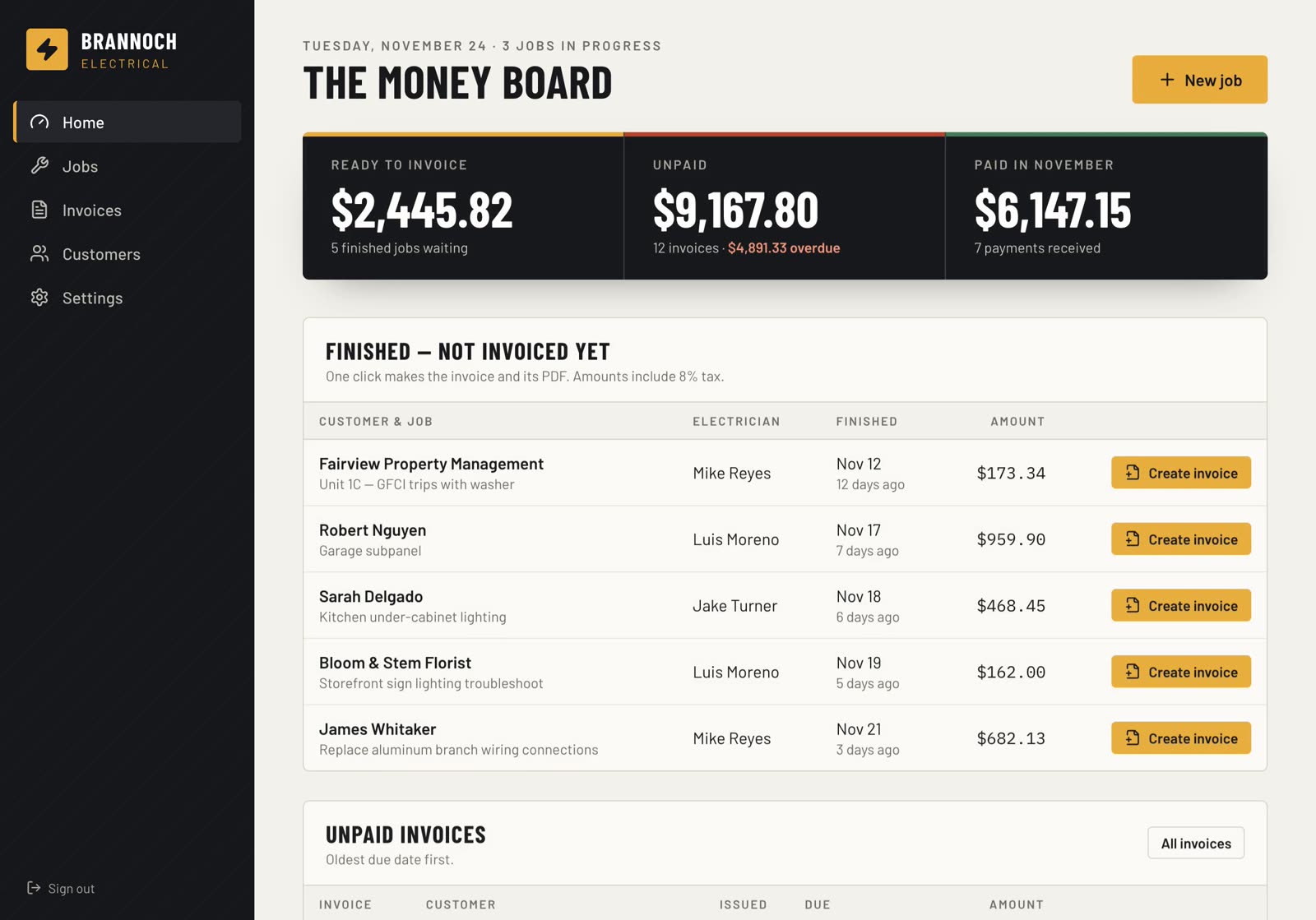
1. The home screen he asked for. Ready to invoice, unpaid and paid this month on top. Below: every finished job that has no invoice yet.
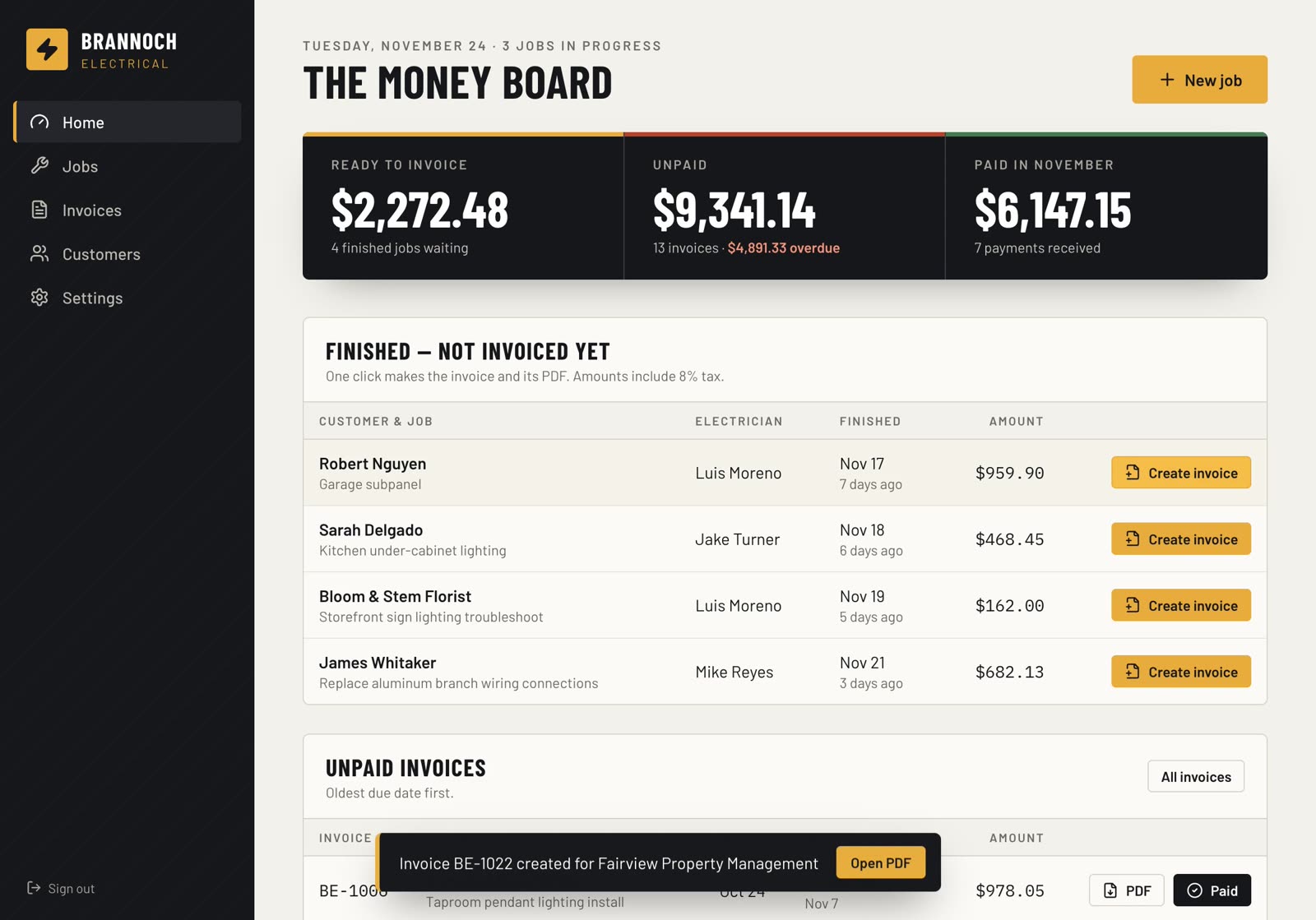
2. One click makes the invoice. “Create invoice” on a finished job gives it the next number and a PDF, and the totals above update.
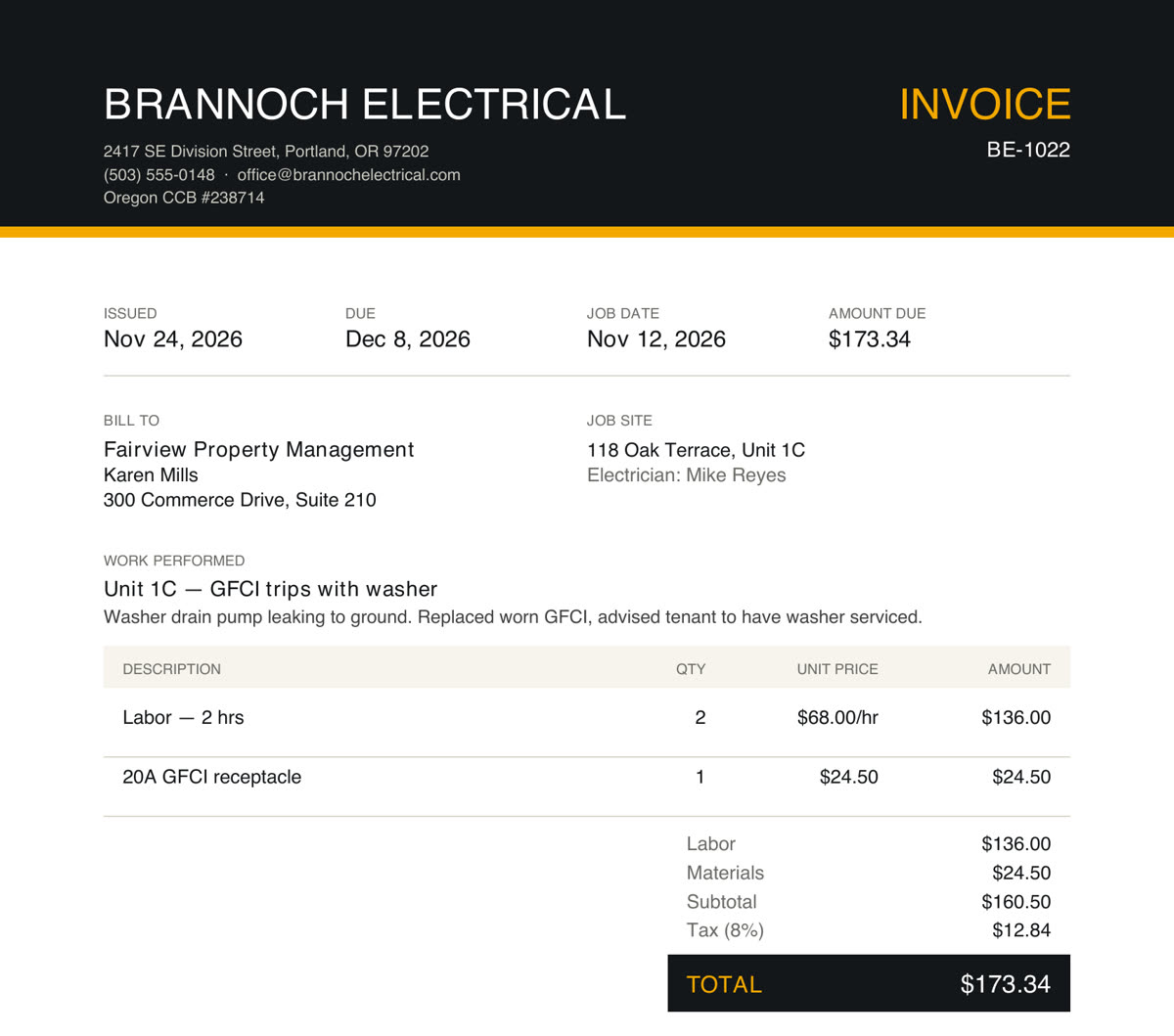
3. The invoice itself. Company name, its own number, hours at $68, materials and 8% tax, exactly as described in the prompt.
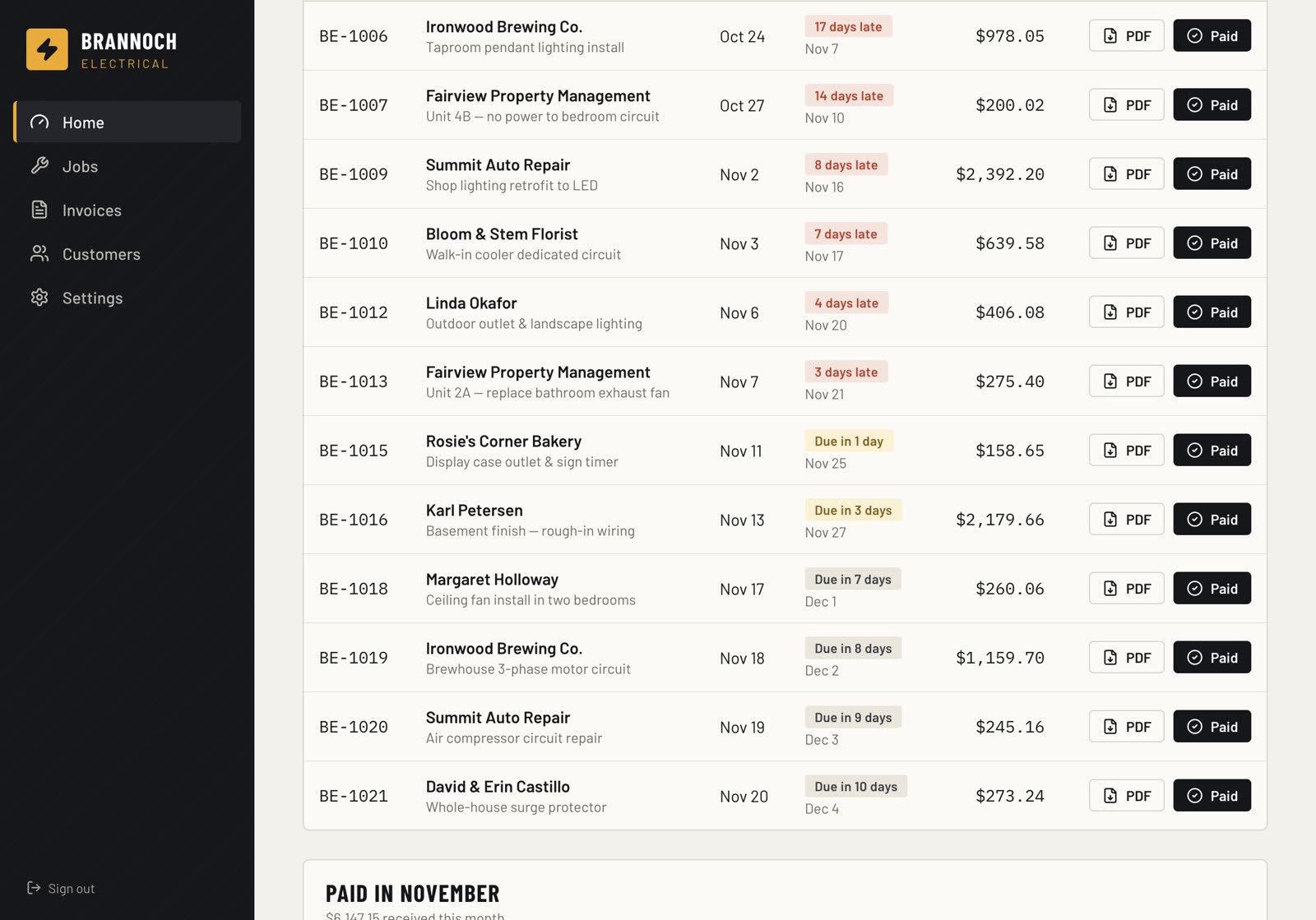
4. Who owes you. Unpaid invoices, oldest first, each with how many days late it is. “Paid” closes it when the money arrives.
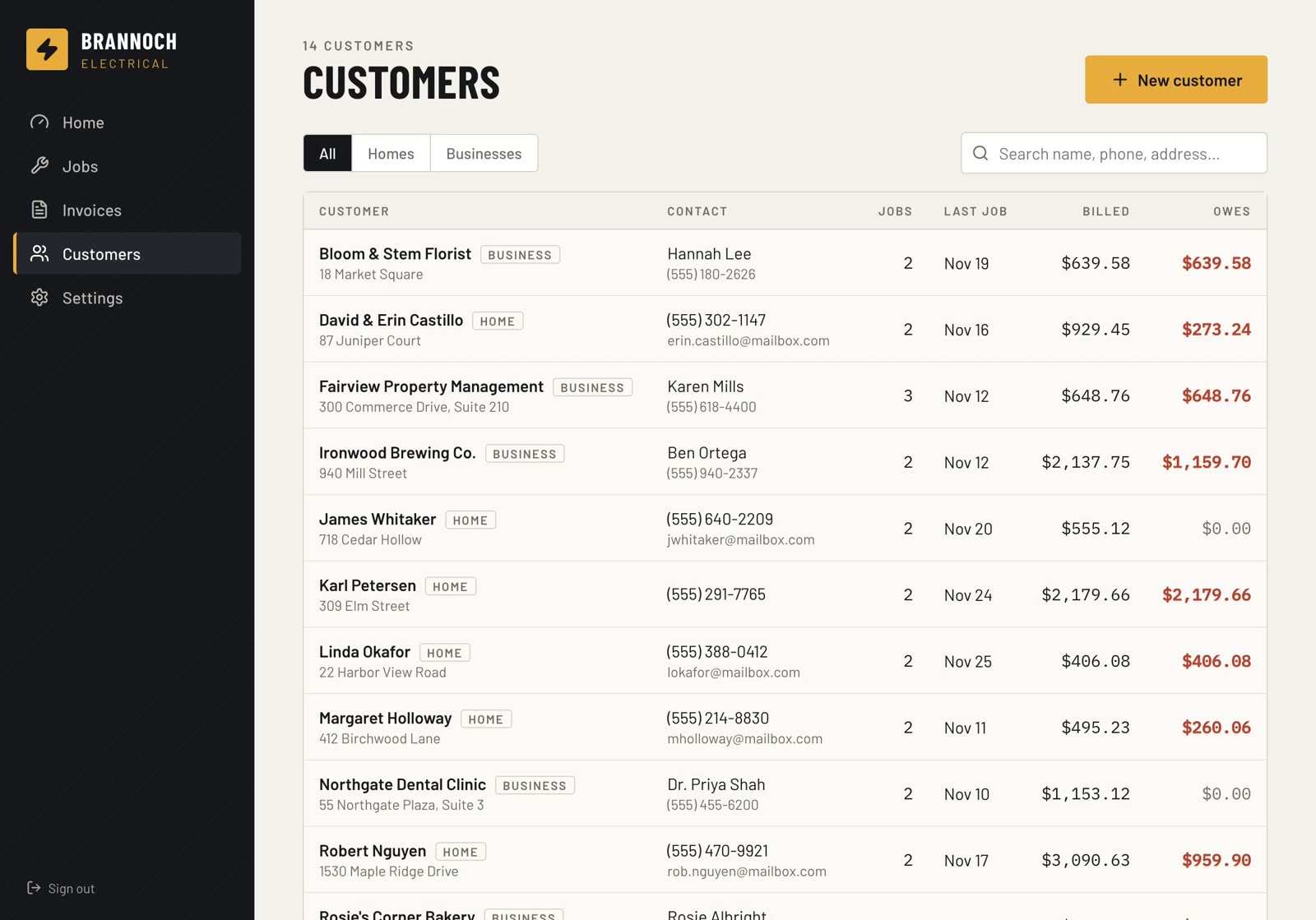
5. Customers. Everyone you worked for, with what they were billed and what they still owe.
Describe how you bill. Studio builds it.
Say it in plain words and get invoicing software built around your jobs, your rates and your customers.
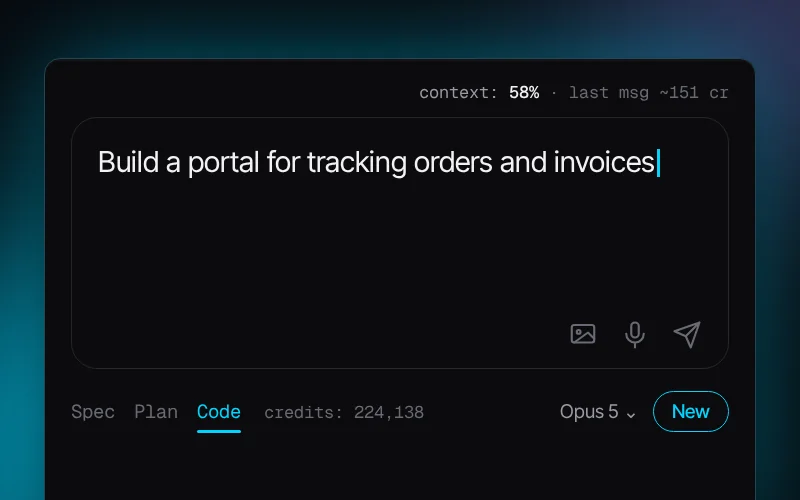
Describe it.
Write how a job turns into money, the way you’d explain it to a new hire.
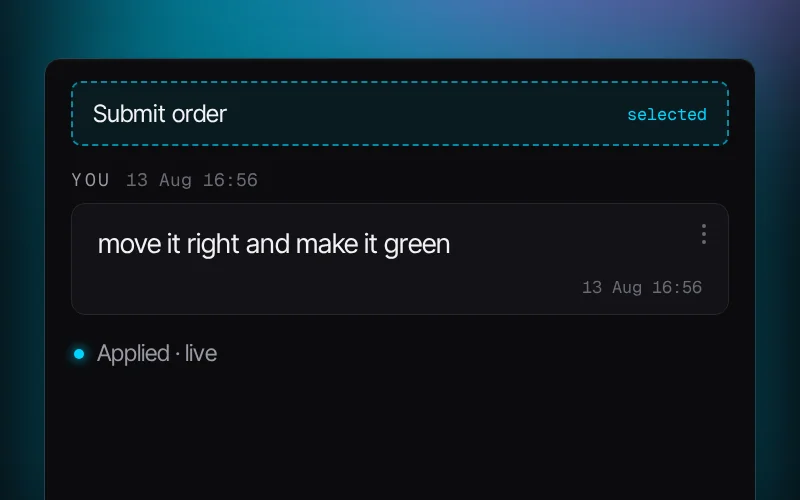
Click through it.
You get a working system with sample jobs and invoices to try.
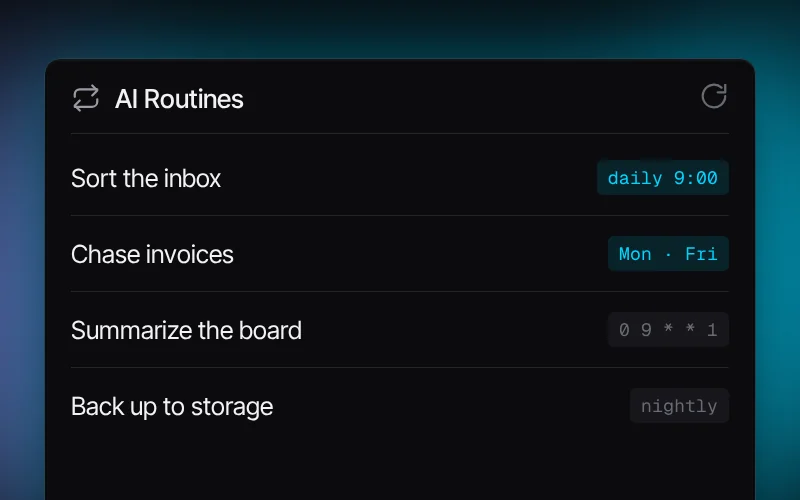
Make it yours.
Change anything by asking: a new tax rule, a reminder, another report.
An invoice system that works the way you work.
Start with the invoice. Add the next piece when you need it, by describing it.
Log the customer, the work, the hours and the materials. When the job is done, the invoice is one click away.
Your own numbering, your logo, your payment terms.
Unpaid invoices on one list, with how many days late each one is and the total you are waiting for.
Ask for a reminder email that goes out on day 7.
Hourly rates per person or per kind of job, tax worked out for you, materials with your markup.
Several tax rates or currencies when you need them.
Every customer with their jobs, their invoices and what they still owe.
Bring your customer list in from a spreadsheet.
Each person logs their own jobs from the phone. You decide who can see prices and who can issue invoices.
No per-user fee.
Describe your business, get your system.
Paste how you bill today, or upload the spreadsheet you track jobs in. OpenKBS builds the invoicing system around it.
It all starts with a prompt like these.
Pick the one closest to your business and change it as you go.
“I run a small electrical company with three electricians. I want to add a job with hours and materials, mark it done, and get the invoice as a PDF in one click. Show me unpaid invoices and how many days late they are.”
“Build an invoicing system for my plumbing business: call-out fee, hourly rate, parts with markup, and a list of customers who still owe me.”
“We clean offices on monthly contracts. Make the invoices for all contracts on the 1st of each month and show me who has not paid by the 15th.”
“I bill by the hour for several clients. Let me log time per project and turn a month of hours into one invoice per client.”
“Track repair jobs from drop-off to pickup, with parts and labor, and print the invoice when the customer collects.”
“Quotes that turn into jobs and then into invoices for my landscaping crew, with a deposit paid up front and the rest on completion.”
Get started, or talk to us first.
Start building your invoicing system for free, or book a call if you're not sure about anything.