Your own staff schedule,
running today.
Tell OpenKBS about your shifts and your people. It builds your employee scheduling system with AI: you fill shifts, it warns you, and everyone sees their own shifts on their phone.
Free to start. Paid plans from €19/mo.
From a description to a schedule everyone sees.
A café’s schedule for twelve people, built in 12 minutes. Under a minute of video, start to finish.
- 1Describe it. The owner writes how the café runs: twelve people, three shifts a day, and a schedule that lives in a group chat.
- 2It builds itself. Database, screens and the phone view, then the system is online. 11 minutes 42 seconds.
- 3It opens. One screen: who works today, which shifts are still empty, who is asking to swap.
- 4Fill a shift. It shows who is free and warns about a double shift or someone over their weekly hours.
- 5Everyone has a link. Each person opens their own page on the phone and sees only their shifts. Changes are there at once.
Real screen recording of a demo café, sped up.
The exact prompt, and what it built.
This is the owner’s first message, word for word, and real screenshots of the system it produced. Nothing was edited by hand.
I own a cafe and bakery, Fennel & Oat, with 12 staff. The weekly schedule lives in a spreadsheet, I send a photo of it to our group chat, and every change means a new photo that somebody misses.
I want a system for the schedule. A week view by day with three shifts (opening 6-11, mid 11-4, closing 4-9) where I put people on shifts. It should warn me when someone is on two shifts at once or goes over their weekly hours. Each person gets their own link to open on the phone and see only their shifts, and they can ask to swap a shift, which I approve.
On the home screen I want to see: who works today, shifts this week that nobody is on yet, swap requests waiting for me, and hours per person this week. Fill it with 12 realistic staff and this week and next week mostly planned, with a few gaps, so I can see how it looks.
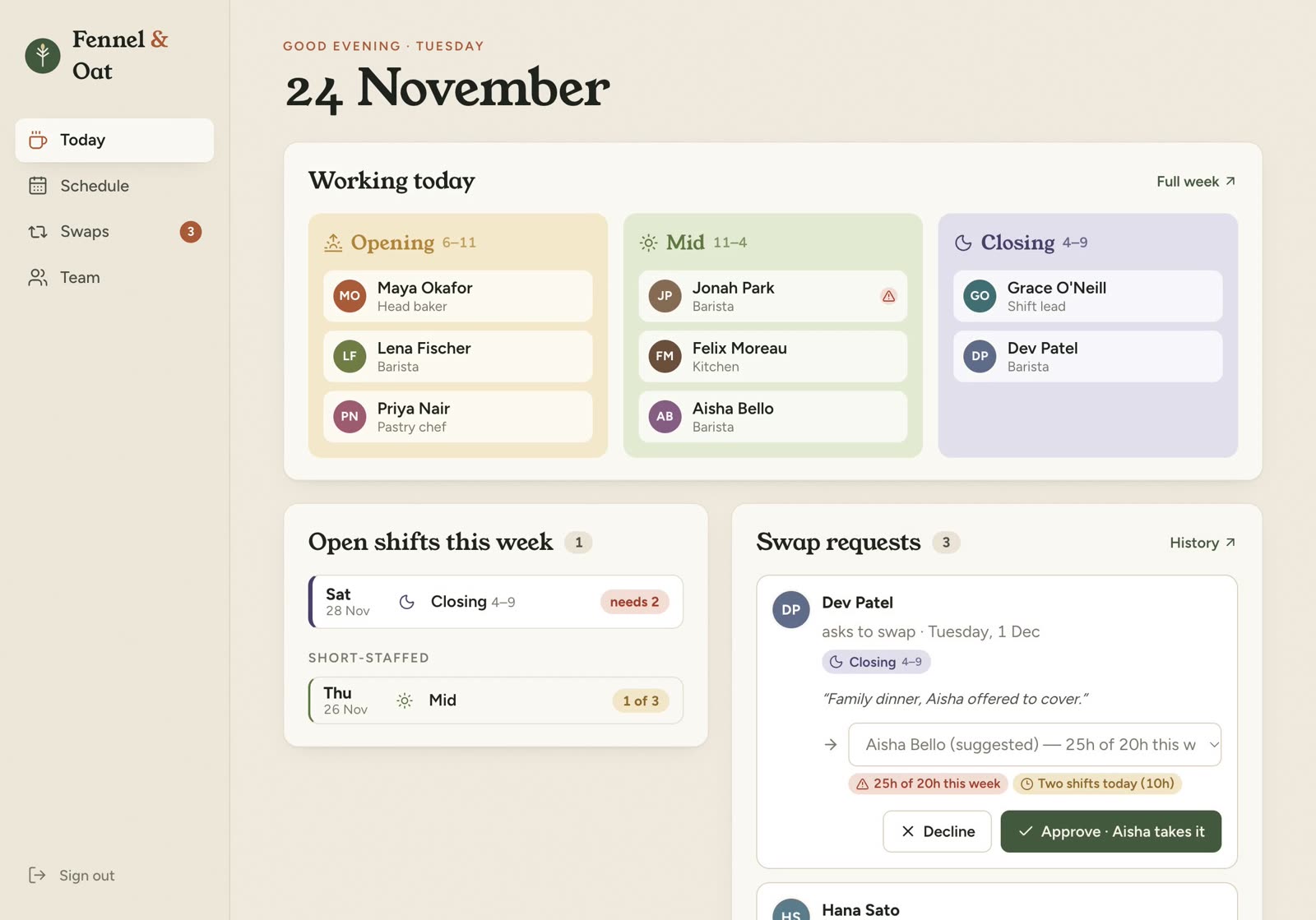
1. The home screen she asked for. Who works today in each shift, the shifts nobody is on yet, and swap requests waiting for an answer.
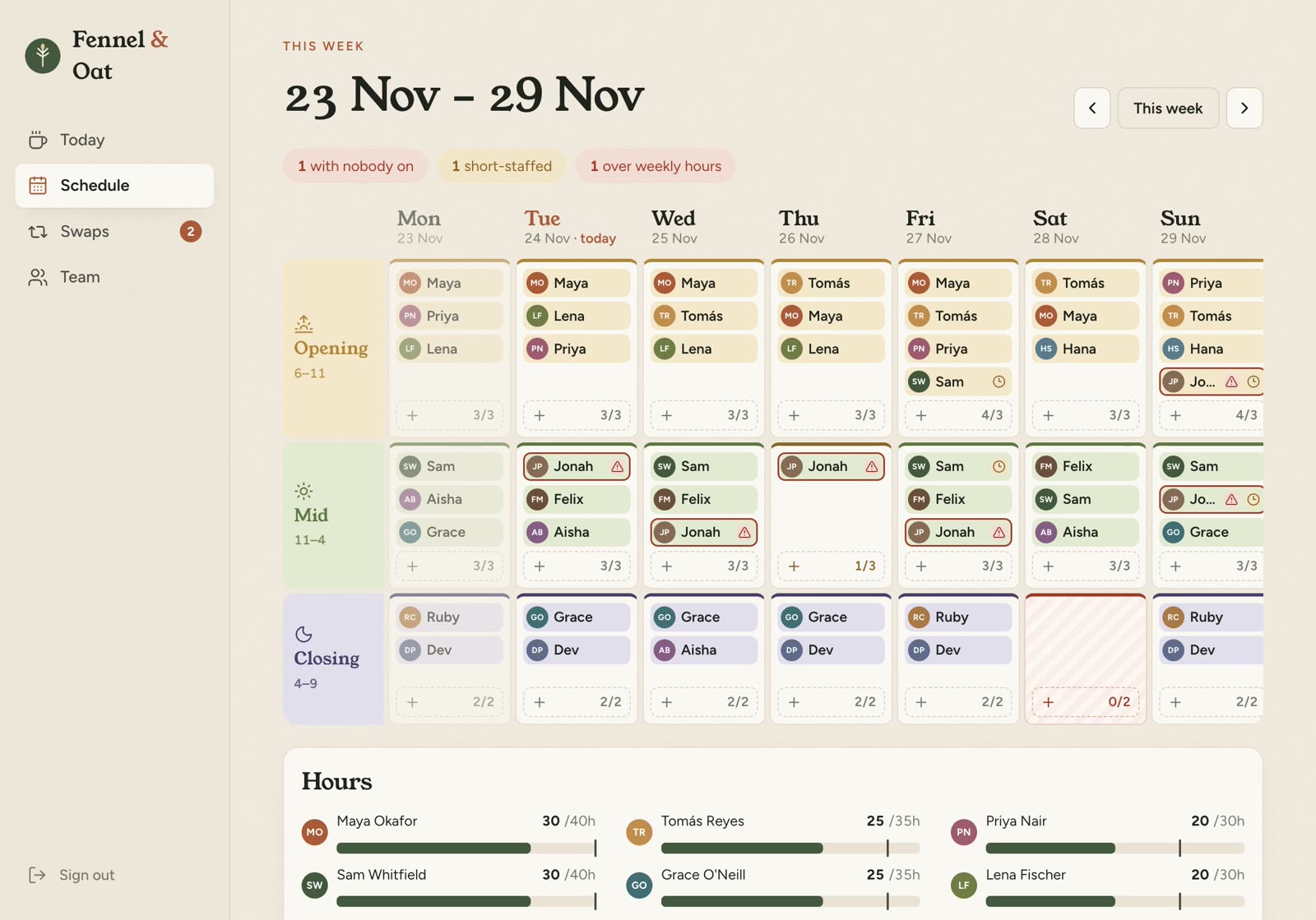
2. The week. Seven days, three shifts, with warnings on top: a shift with nobody on, one short-staffed, one person over their weekly hours.
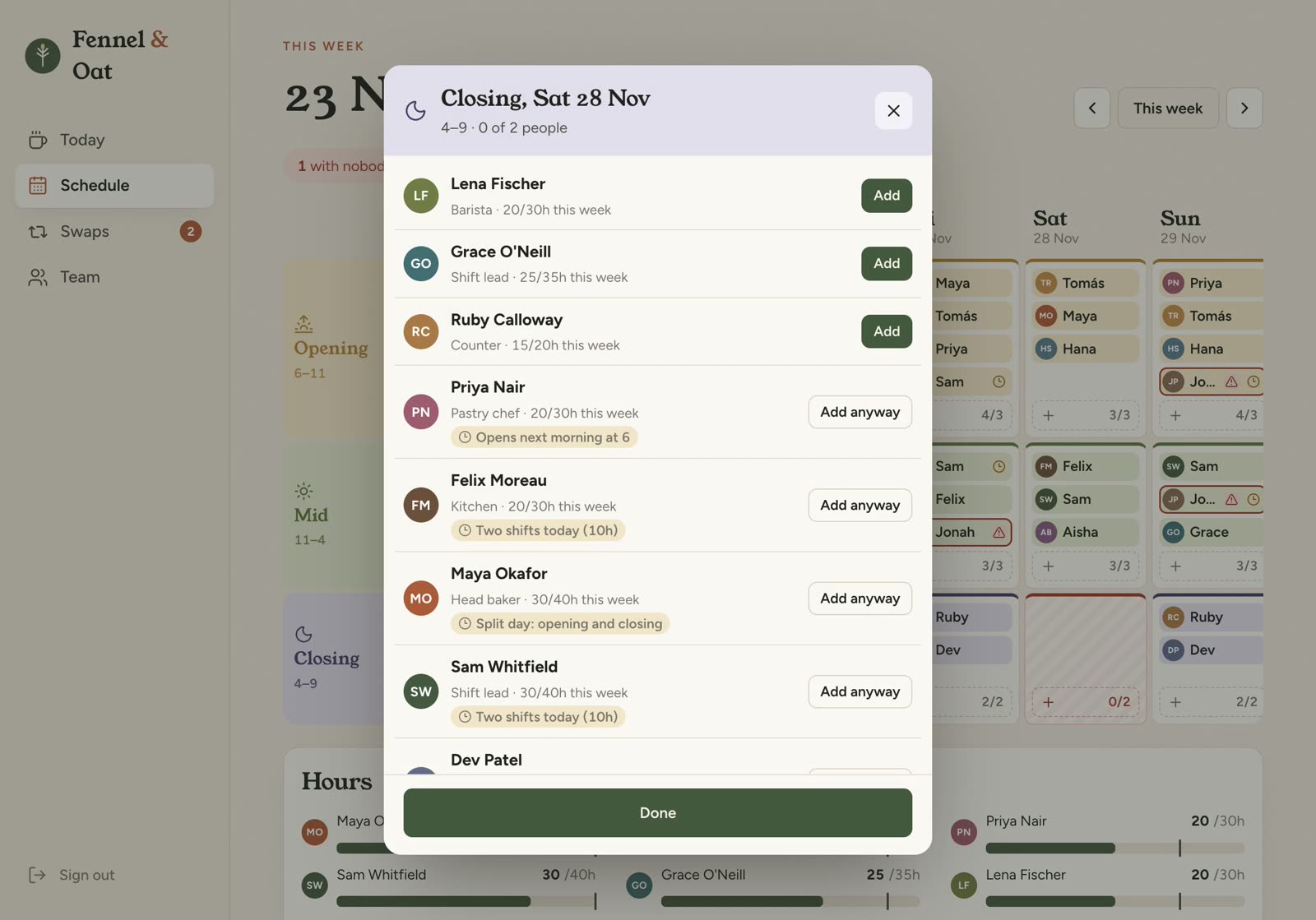
3. Filling a shift. People who are free come first. The rest say why not: already on two shifts today, or over their hours.
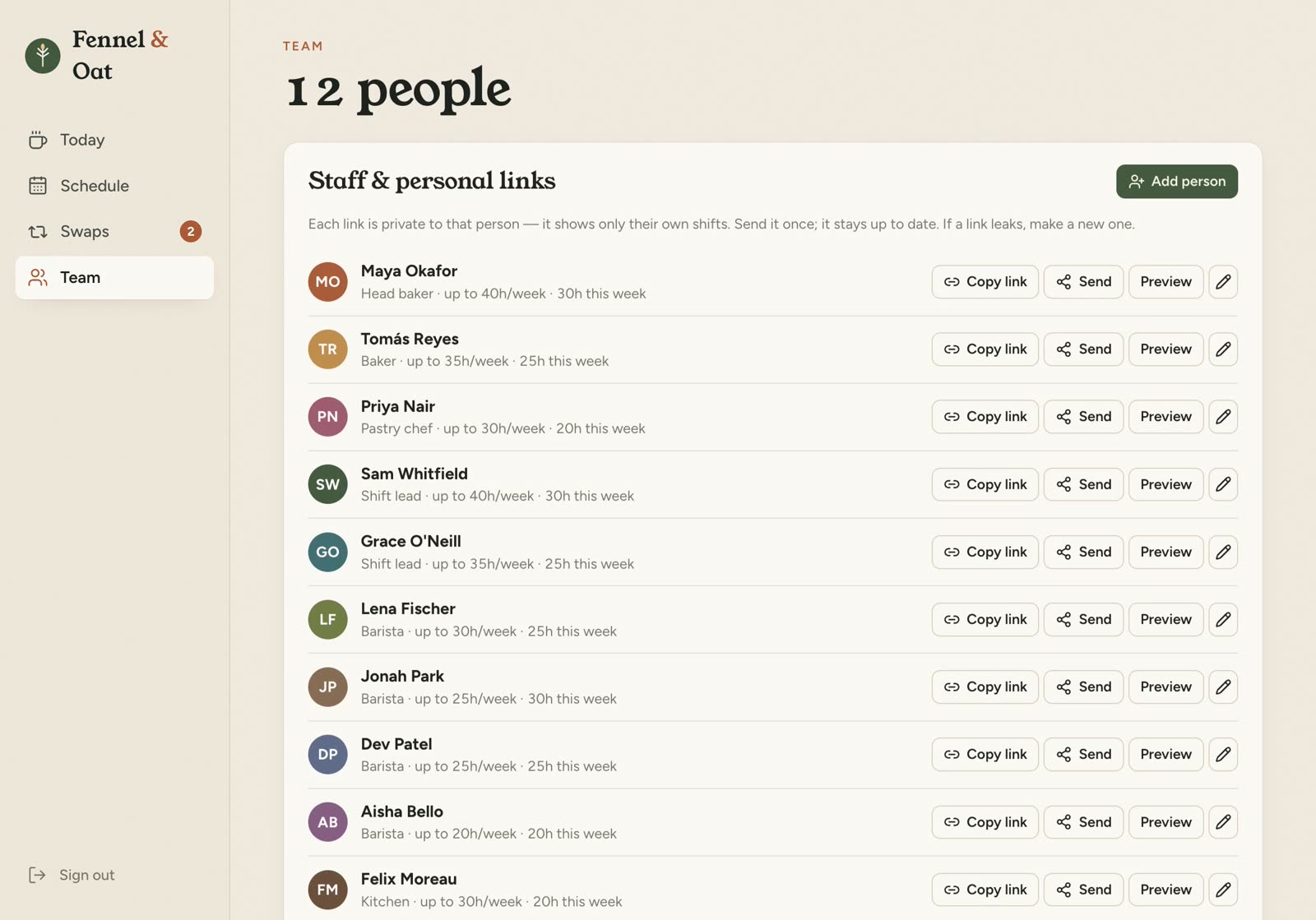
4. A link for each person. Twelve people, twelve personal links to copy or send. No accounts and no app to install.
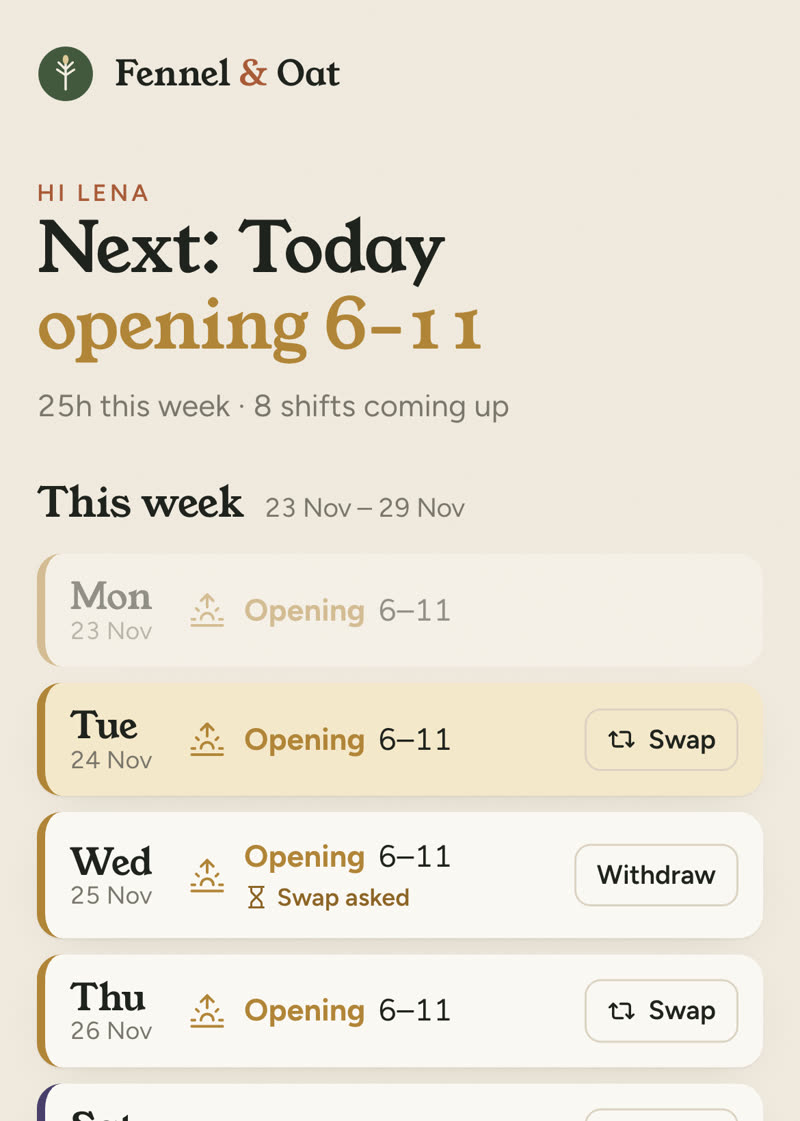
5. What they see on the phone. Only their own shifts. The Saturday closing shift that was just added is already there, marked new.
Describe your shifts. Studio builds it.
Say it in plain words and get staff scheduling software built around your opening hours, your roles and your rules.
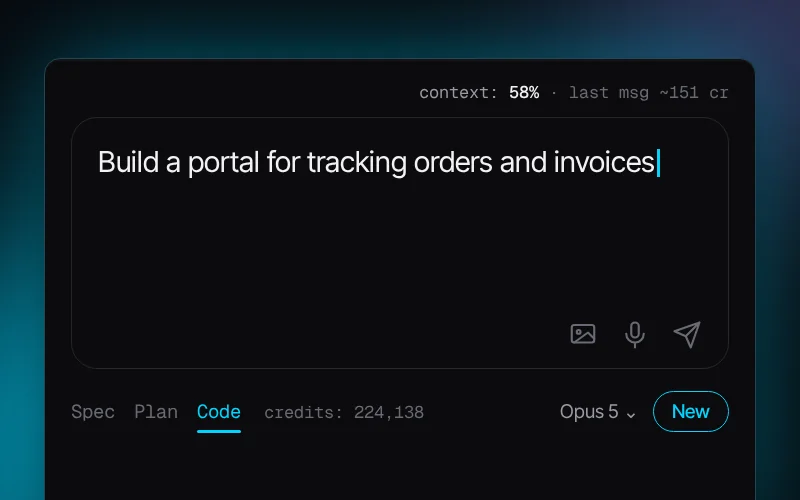
Describe it.
Write how a week is planned, the way you’d explain it to a new manager.
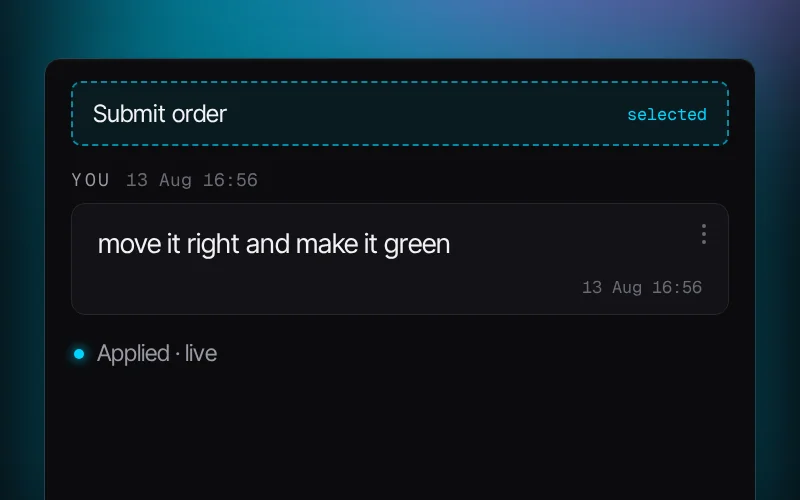
Click through it.
You get a working schedule with sample staff and shifts to try.
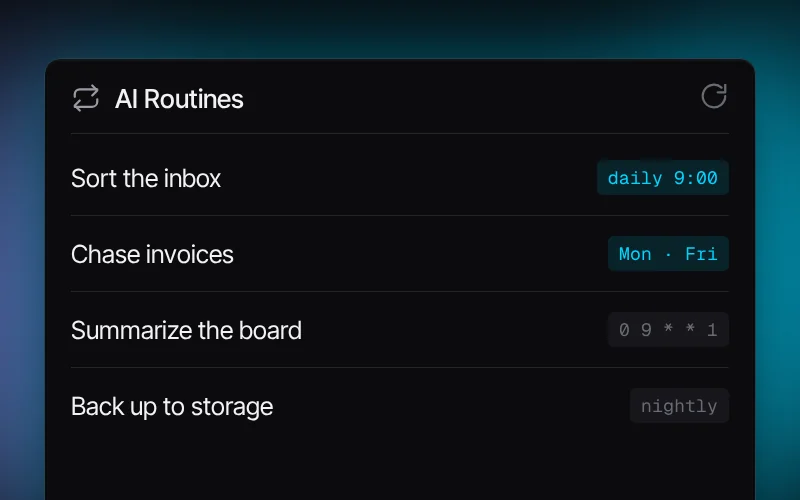
Make it yours.
Change anything by asking: a new shift, a rule, a weekly email.
A schedule that follows your rules.
Start with the week. Add the next piece when you need it, by describing it.
Every day and every shift, with who is on it and how many people are still missing.
Copy last week and change only what is different.
Two shifts on the same day, too many hours in the week, a shift with nobody on it: you see it while you plan.
Add your own rules, like rest hours between shifts.
Each person has a personal link with only their shifts. No app to install, no account to create.
A change shows up there the moment you make it.
People ask to swap or to take a day off, you approve with one tap, and the schedule updates itself.
The system suggests who can take the shift.
Hours per person per week, ready for payroll at the end of the month.
Ask for an export in the format your accountant wants.
Describe your business, get your system.
Paste how you plan a week today, or upload the spreadsheet your schedule lives in. OpenKBS builds the scheduling system around it.
It all starts with a prompt like these.
Pick the one closest to your business and change it as you go.
“I own a café with 12 staff and three shifts a day. I want a week view where I put people on shifts, a warning when someone is on two shifts or over their weekly hours, and a personal link for each person to see their shifts on the phone.”
“Build a schedule for our restaurant with kitchen and floor roles, split shifts on weekends, and swap requests that I approve.”
“Two shops, 15 part-time staff. Plan the week per shop, let people mark when they are not available, and show me the hours per person.”
“Schedule the front desk and nurses of a small clinic, with on-call weekends shared fairly and time-off requests.”
“Rotating 12-hour day and night shifts for 20 guards across four sites, with at least 11 hours of rest between shifts.”
“A weekly class schedule for our trainers, with substitutes when someone is ill and the hours each trainer worked this month.”
Get started, or talk to us first.
Start building your schedule for free, or book a call if you're not sure about anything.