Your own TMS,
running today.
Tell OpenKBS how your loads, trucks and drivers work. It builds your transportation management system with AI: dispatch board, late loads, driver links and invoices.
Free to start. Paid plans from €19/mo.
From a description to a working dispatch board.
A six-truck carrier’s dispatch system, built in 19 minutes. Under a minute of video, start to finish.
- 1Describe it. The owner writes how the company runs: six trucks, six drivers, and loads that live on a whiteboard.
- 2It builds itself. Database, screens and the driver view, then the system is online. 18 minutes 53 seconds.
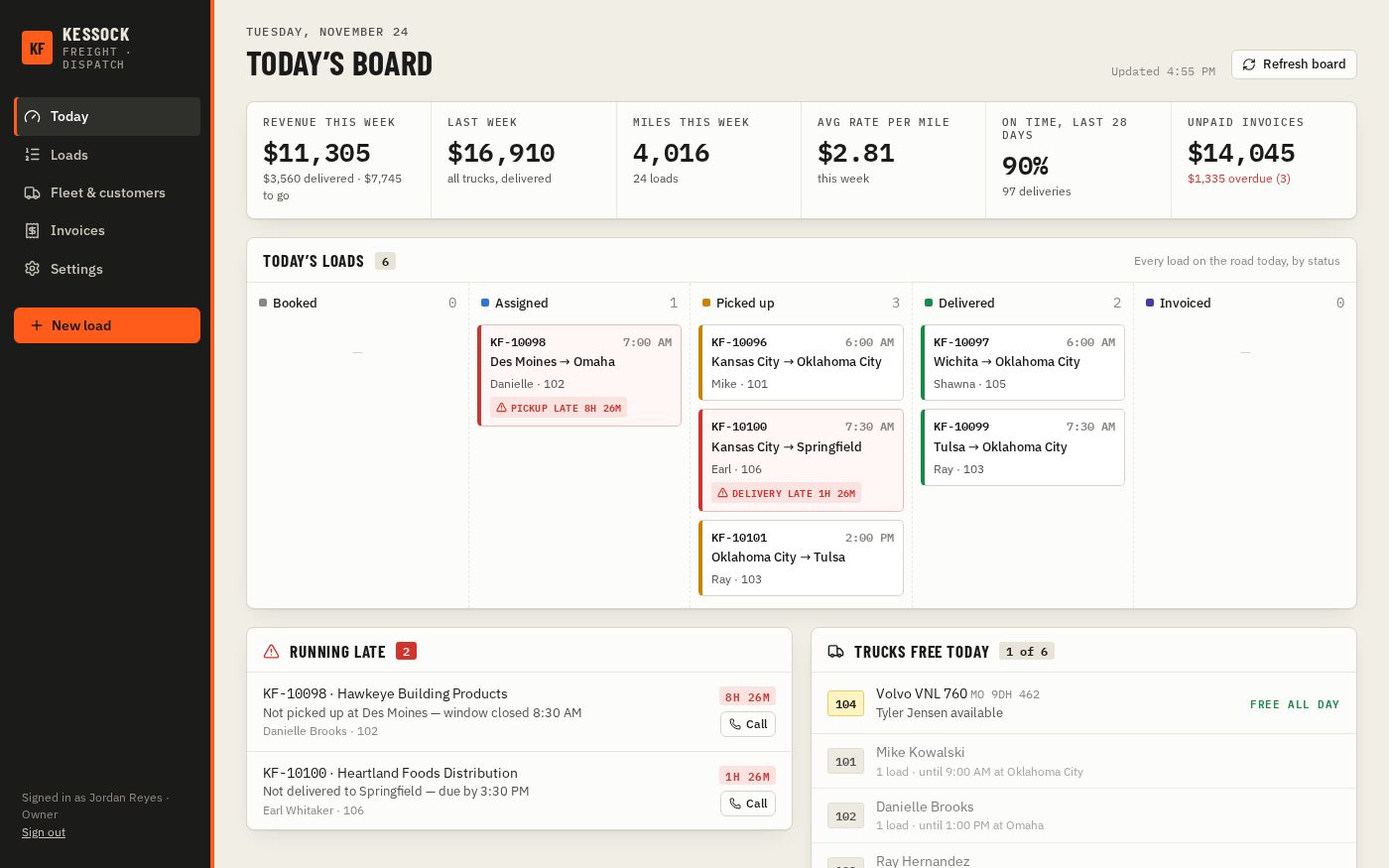
- 3It opens. One board: today’s loads by status, the ones running late, trucks that are free.
- 4Assign without double-booking. Give a load to a driver who is already booked and it stops you and shows the overlap.
- 5Drivers and invoices. Each driver has a link on the phone and taps picked up and delivered. A delivered load becomes an invoice in one click.
Real screen recording of a demo carrier, sped up.
The exact prompt, and what it built.
This is the owner’s first message, word for word, and real screenshots of the system it produced.
I run a small trucking company, Kessock Freight. Six trucks, six drivers, and I do the dispatch myself. Today the loads are on a whiteboard and in a spreadsheet, I text the drivers the details, and I find out a delivery is late when the customer calls me.
I want a dispatch system. A load has a customer, pickup and delivery (place, date, time window), the rate, and the miles. I assign a driver and a truck, and the load moves through: booked, assigned, picked up, delivered, invoiced. It should warn me when a driver is given two loads that overlap. Each driver gets their own link to open on the phone, sees only their loads, and taps "picked up" and "delivered".
On the home screen I want to see: today's loads by status, loads with no driver yet, loads that are running late, and trucks that are free today. When a load is delivered, one click makes the invoice. Show me revenue per truck this week and the rate per mile for each load. Fill it with realistic sample loads from the last three weeks and this week so I can see how it looks.
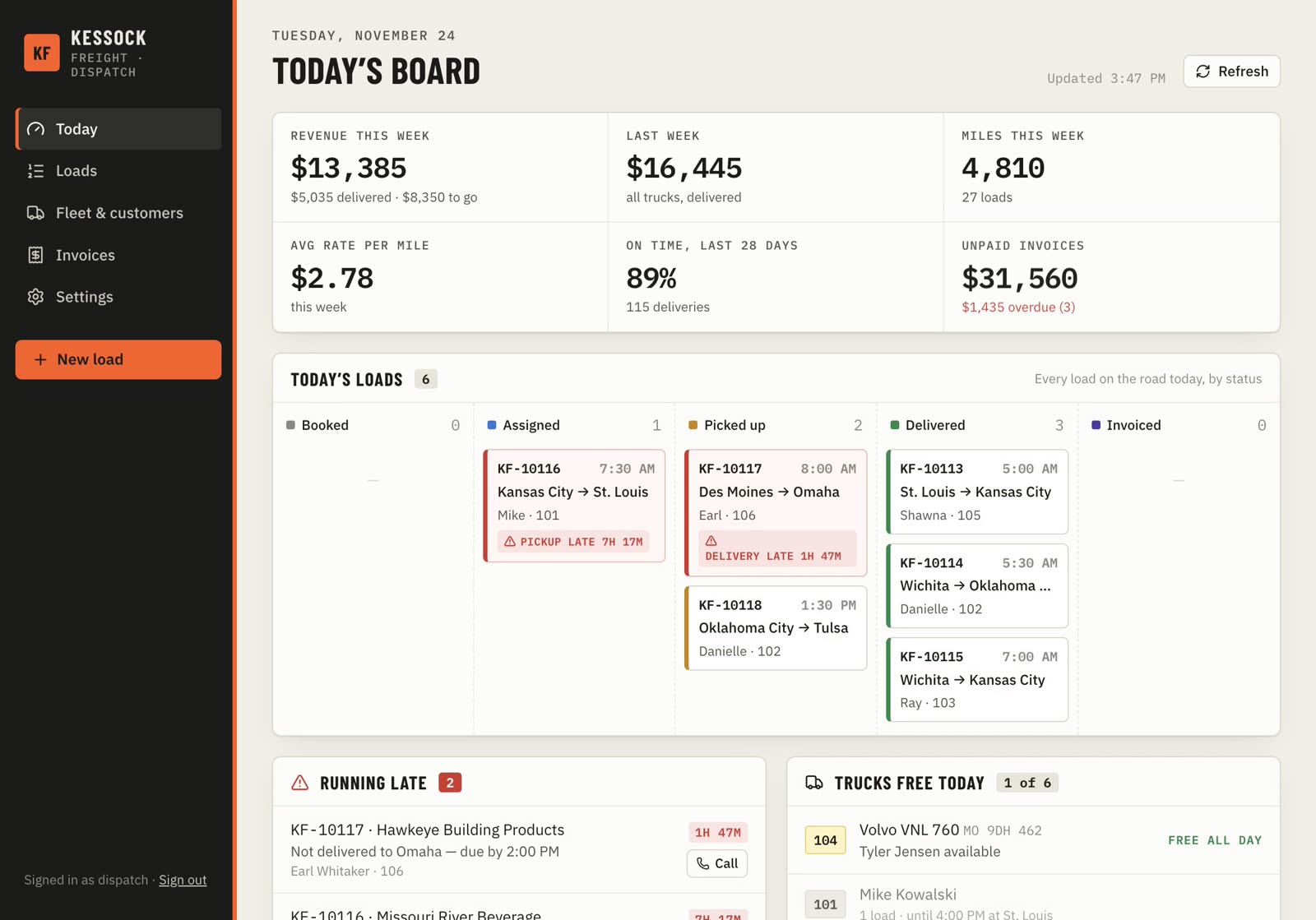
1. The board he asked for. Revenue and miles this week on top, then today’s loads by status. Late loads are red and say how late.
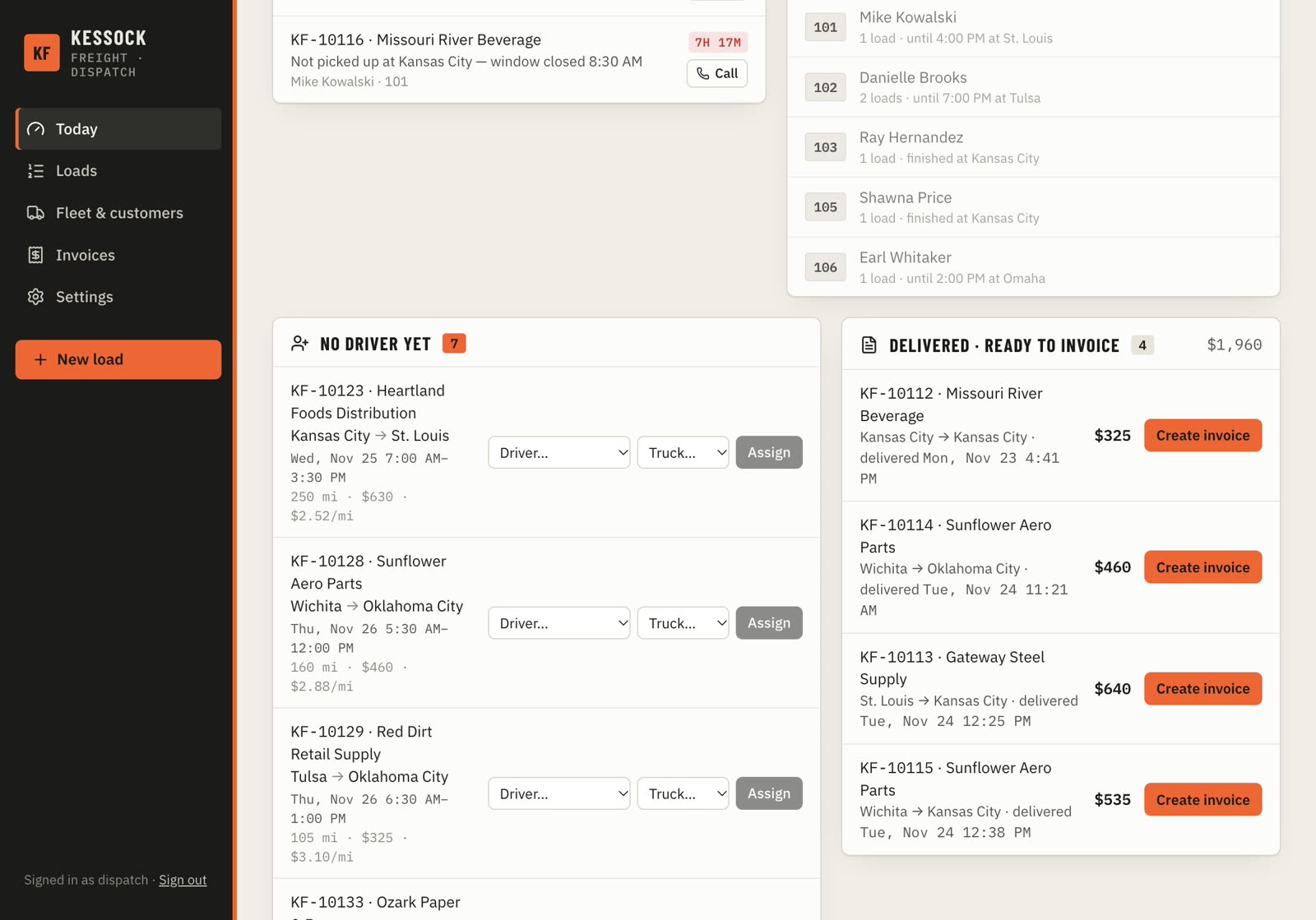
2. Loads with no driver yet. Pick a driver and a truck for each one. Next to it: delivered loads waiting for an invoice.
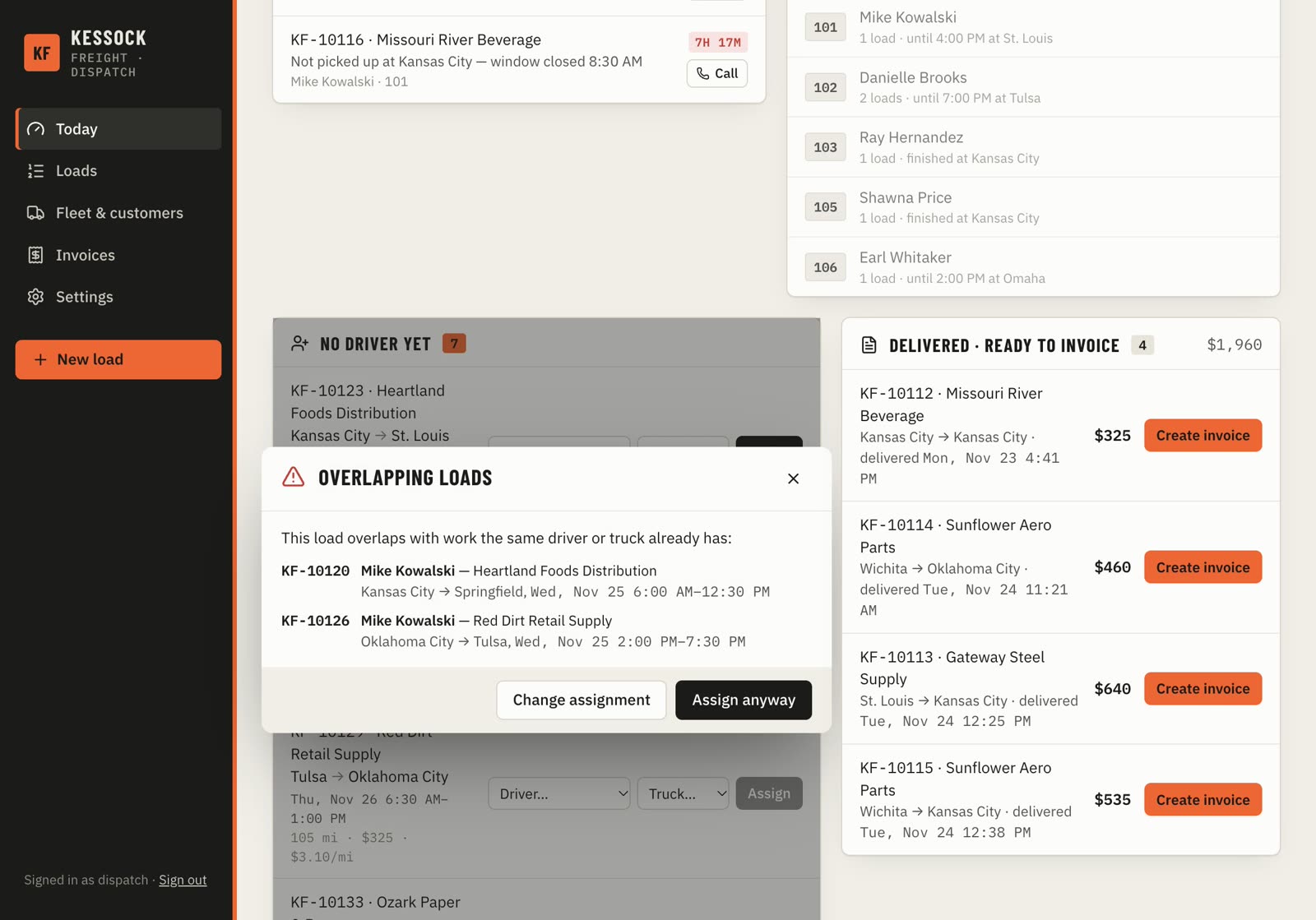
3. No double-booking. The driver already has two loads that day, so the system stops and shows them before anything is saved.
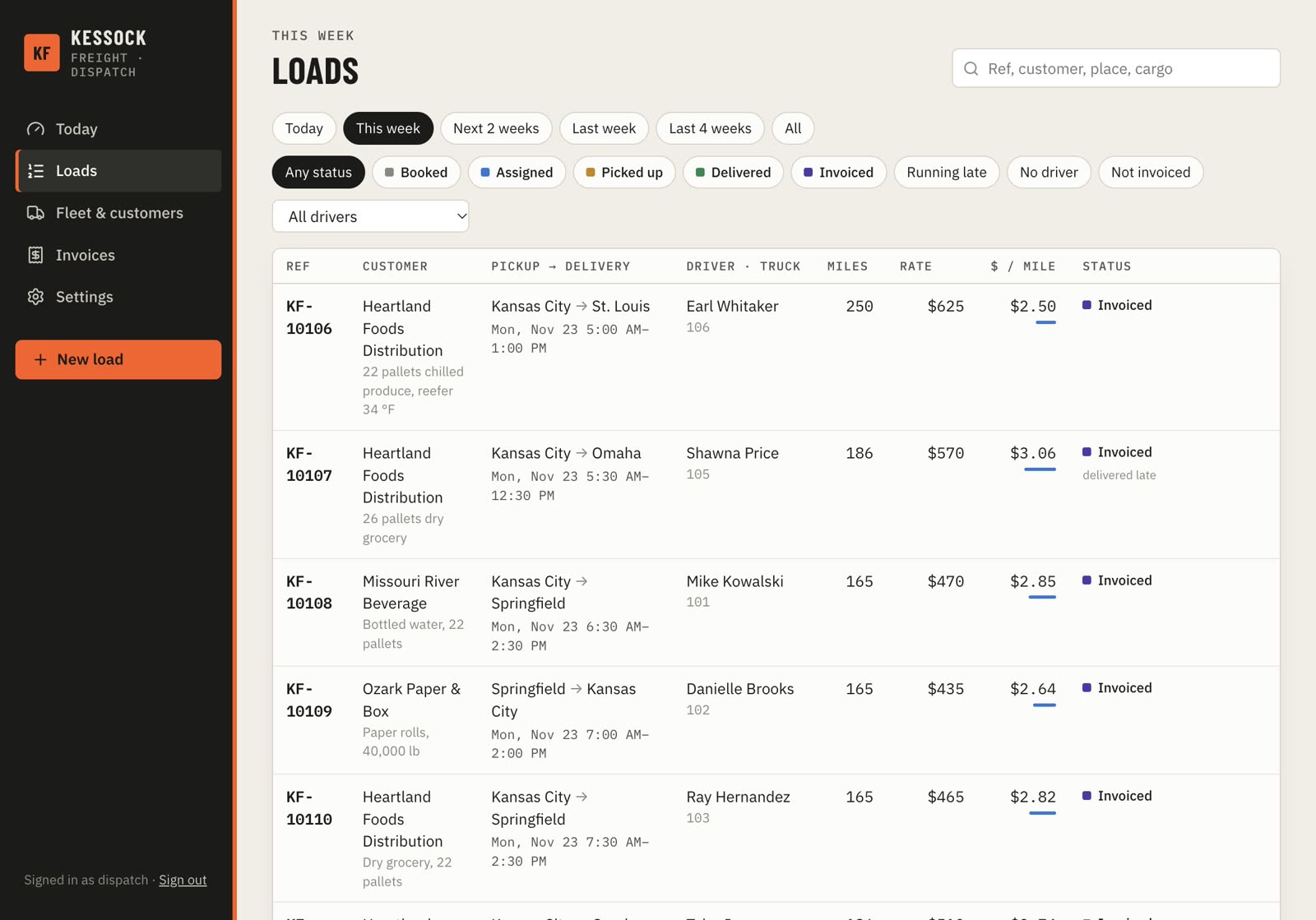
4. Every load. Customer, route, driver, miles, rate and rate per mile, filtered by week and by status.
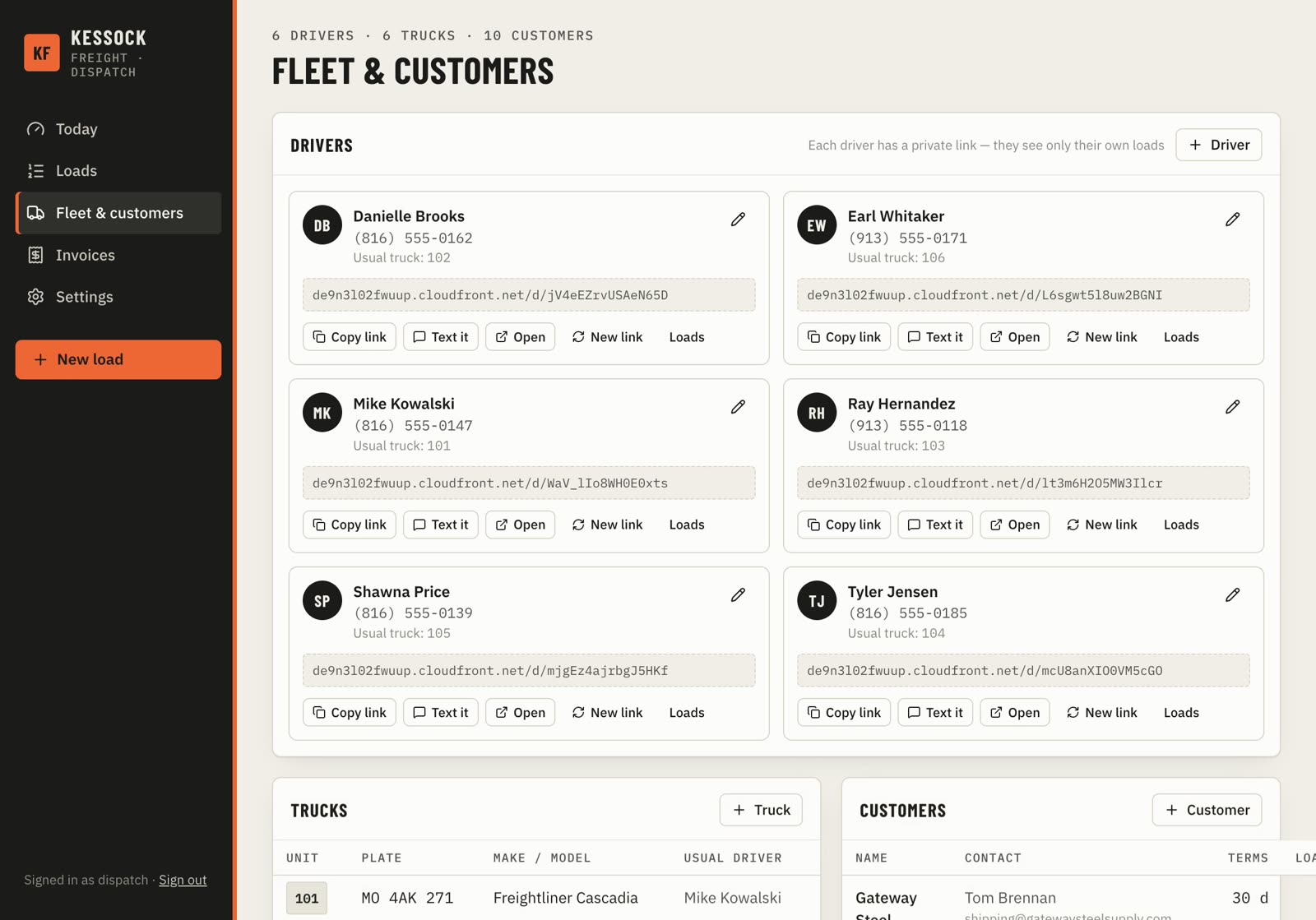
5. A link for each driver. Six drivers, six personal links to copy or text. No accounts and no app to install.
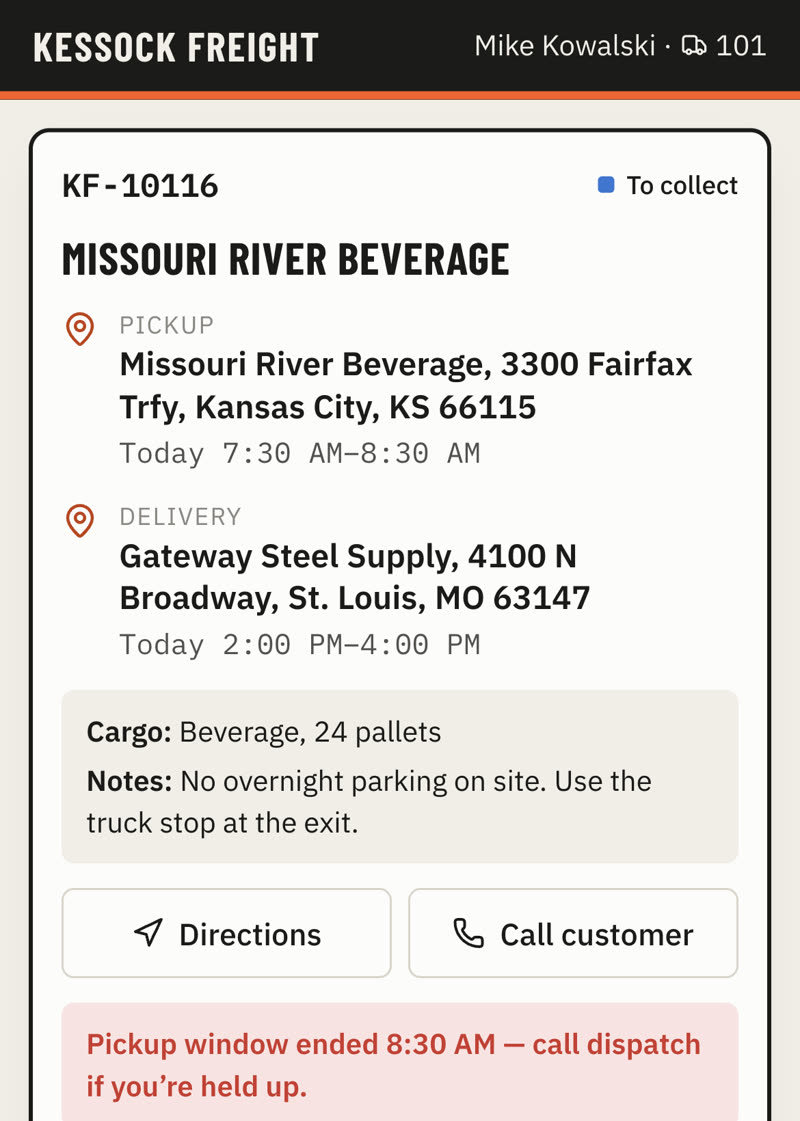
6. What the driver sees. Only their own loads, with directions, a call button and one big button for the next step.
Describe your operation. Studio builds it.
Say it in plain words and get TMS software built around your lanes, your trucks and your customers.
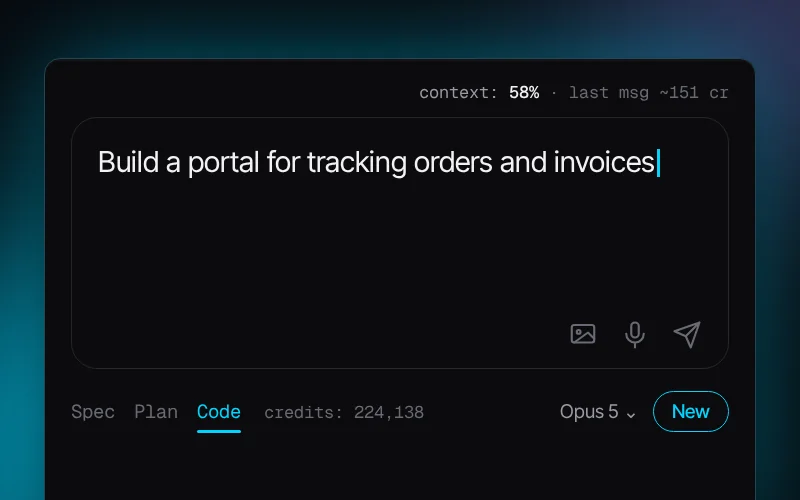
Describe it.
Write how a load moves from booking to invoice, the way you’d explain it to a new dispatcher.
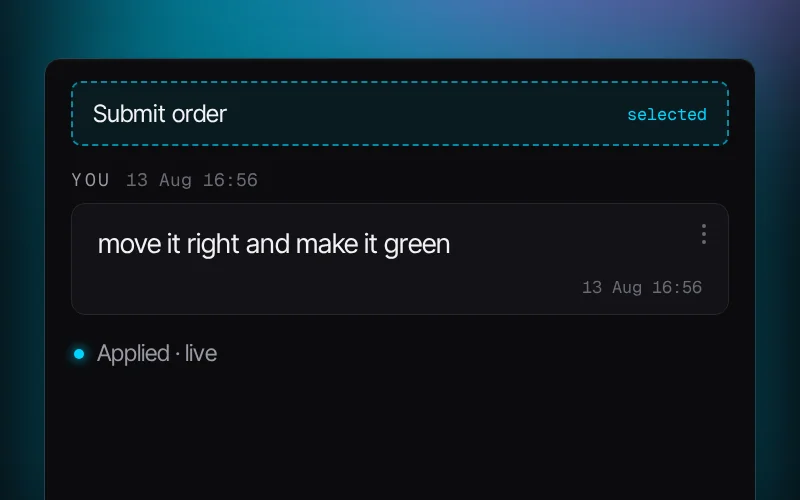
Click through it.
You get a working dispatch system with sample loads to try.
Make it yours.
Change anything by asking: a new status, a report, an alert on your phone.
A transportation management system that fits a small fleet.
Start with dispatch. Add the next piece when you need it, by describing it.
Every load by status: booked, assigned, picked up, delivered, invoiced. Late loads stand out the moment a window closes.
Ask for an alert on your phone when a load runs late.
Who is free today, who is booked until when, and a warning before two loads overlap for one driver or truck.
Add hours-of-service rules or maintenance dates when you need them.
Each driver opens a personal page on the phone, sees only their loads and taps picked up and delivered.
Add proof-of-delivery photos by asking.
A delivered load becomes an invoice in one click, and unpaid invoices show how many days overdue they are.
Email the PDF to the customer straight from the load.
Rate per mile for every load, revenue per truck per week, and on-time percentage per customer.
Need another report? Ask for it in a sentence.
Describe your business, get your system.
Hitch
The dispatch system from the video, ready to use: loads, drivers, trucks, late loads and invoices.
Paste how you dispatch today, or upload the spreadsheet your loads live in. OpenKBS builds the TMS around it.
It all starts with a prompt like these.
Pick the one closest to your business and change it as you go.
“I run six trucks and do the dispatch myself. Build a dispatch system: loads with pickup and delivery windows, a driver and truck for each, statuses from booked to invoiced, a warning for overlapping loads, and a phone link for each driver.”
“We broker loads. Track each load with the shipper rate and the carrier rate, show the margin, keep carrier documents, and flag loads with no carrier 24 hours before pickup.”
“Ten vans delivering furniture. Plan each day’s stops per van, let drivers mark each stop delivered with a photo, and text the customer when the van is next.”
“We haul aggregates by the ton. Log each ticket with truck, pit, job site and tons, and turn a week of tickets into one invoice per customer.”
“A towing company with five trucks. Take a call, assign the nearest free truck, track the job from dispatched to dropped off, and make the invoice at the end.”
“Schedule moving jobs with crew, truck and estimated hours, warn me when a crew is double-booked, and bill by the actual hours worked.”
Get started, or talk to us first.
Start building your TMS for free, or book a call if you're not sure about anything.